
شحن
المتجر
دفع
سحب
جربها بنفسك
تعليمات العرض التوضيحي
البريد الإلكتروني: [email protected]
كلمة المرور: 12345678
انتقل إلى لوحة محفظتك لرؤية رصيدك وسجل المعاملات.
محفظتيأضف أموالاً إلى محفظتك باستخدام بطاقة الائتمان أو PayPal أو التحويل البنكي.
اشحن الآنانقر على زر "أضف إلى السلة" على المنتج الموضح أدناه وتابع إلى الدفع.
عند الدفع، اختر "المحفظة الإلكترونية" كطريقة دفع للدفع باستخدام رصيد محفظتك.
الذهاب للدفع
Gift Cards
Gift cards let you give the gift of shopping! Purchase a gift card to send to friends or family, or redeem one you've received to add funds to your wallet.
How Gift Cards Work
Buy a gift card from your wallet dashboard. Choose any amount and optionally send it to someone via email.
Send the gift card code to friends or family via email, or keep it for yourself to use later.
Enter your gift card code to redeem it. The full balance will be added to your wallet instantly.
You can also apply a gift card directly at checkout to get a discount on your order.
Gift Card Features
Choose any gift card value within the store's limits.
Send gift cards directly to recipients with a personal message.
Redeemed funds are available immediately in your wallet.
Apply gift cards at checkout for instant order discounts.
Check your gift card balance anytime before redeeming.
Please login to purchase or redeem gift cards.
لقطات الشاشة
شاهد إضافة المحفظة الإلكترونية أثناء العمل
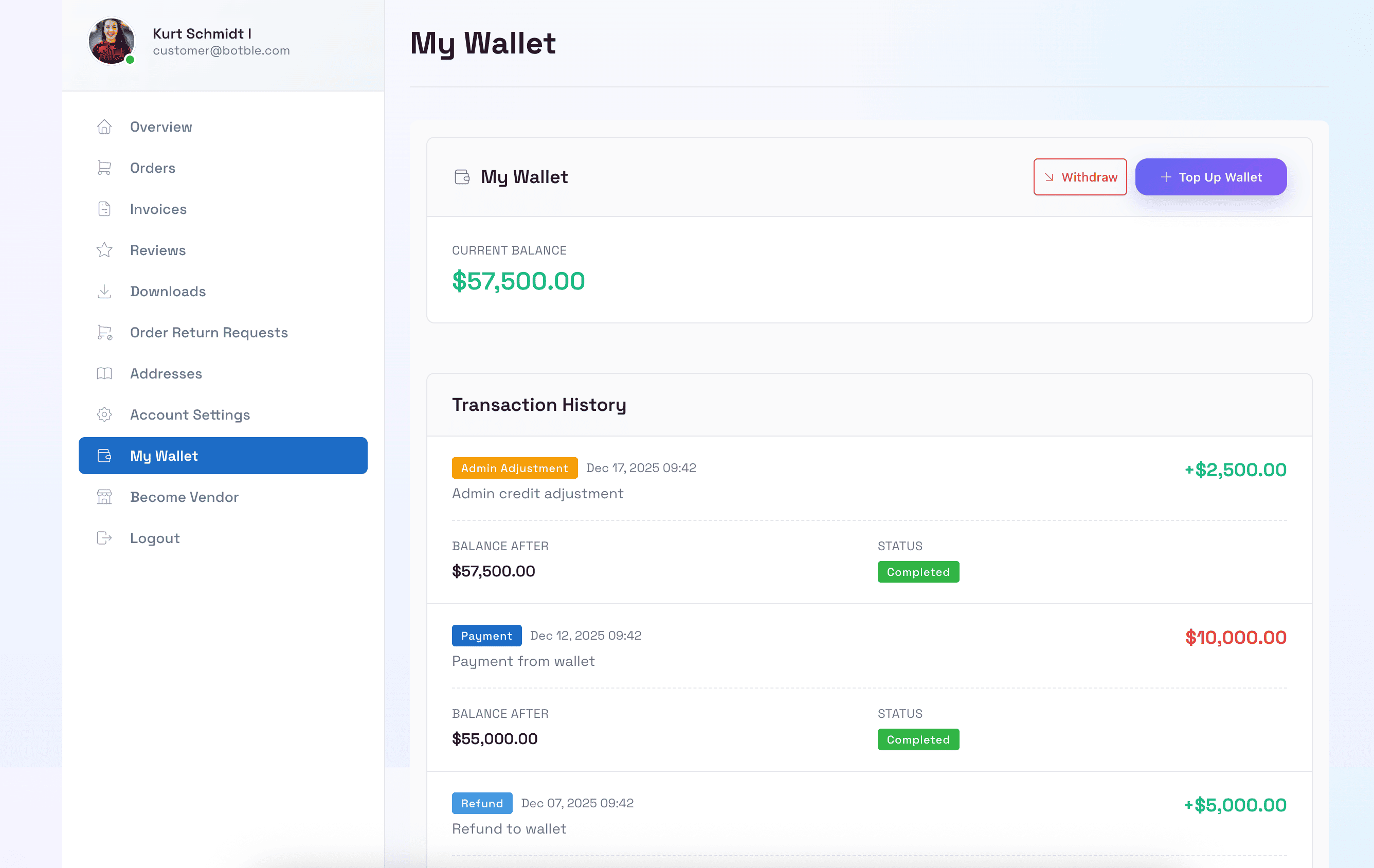
لوحة محفظة العميل
يمكن للعملاء عرض رصيد محفظتهم وسجل المعاملات وإدارة أموالهم في لوحة تحكم الحساب.
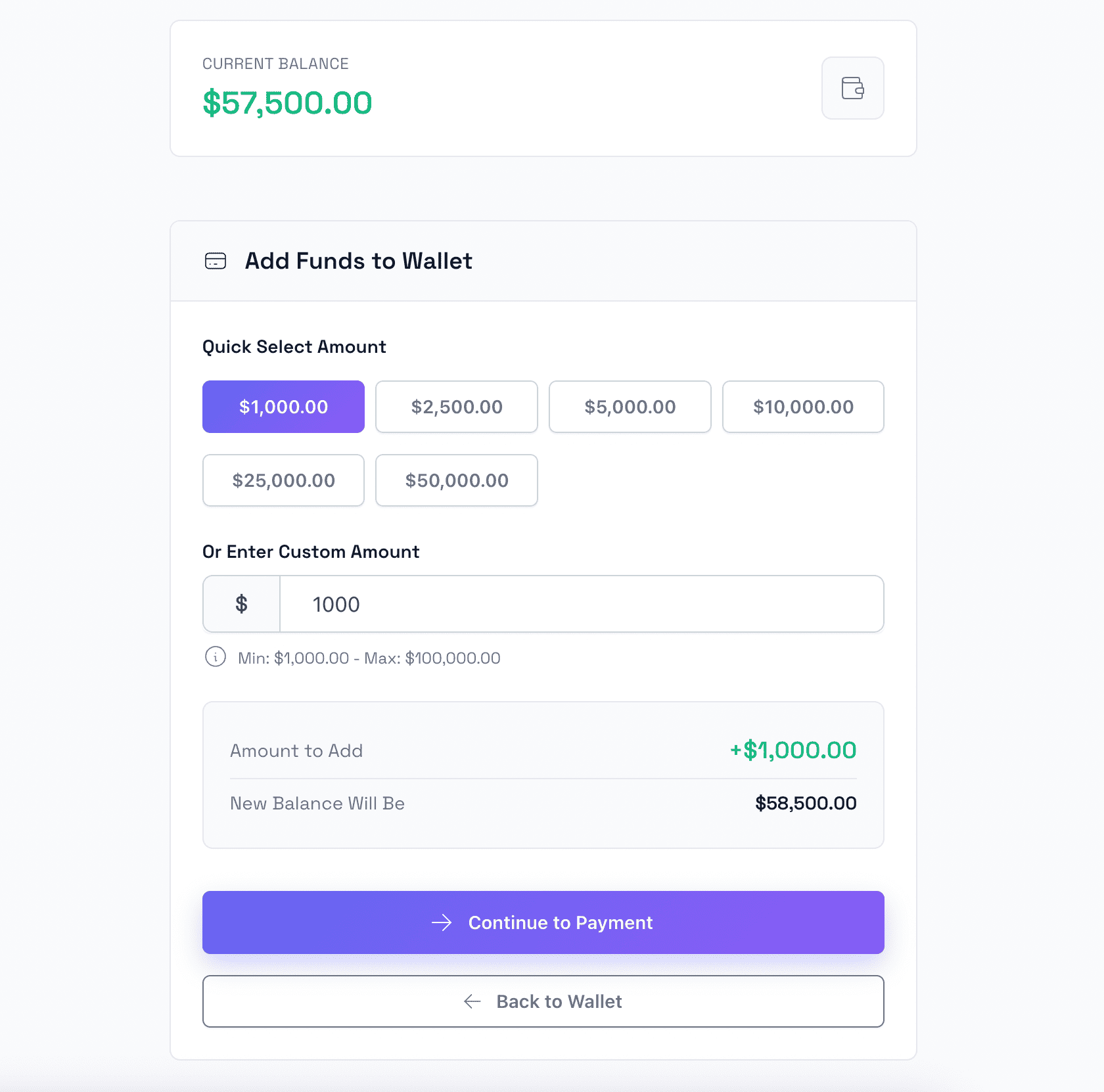
شحن المحفظة
يمكن للعملاء إضافة أموال بسهولة إلى محفظتهم باستخدام طرق دفع متنوعة بما في ذلك بطاقات الائتمان وPayPal.
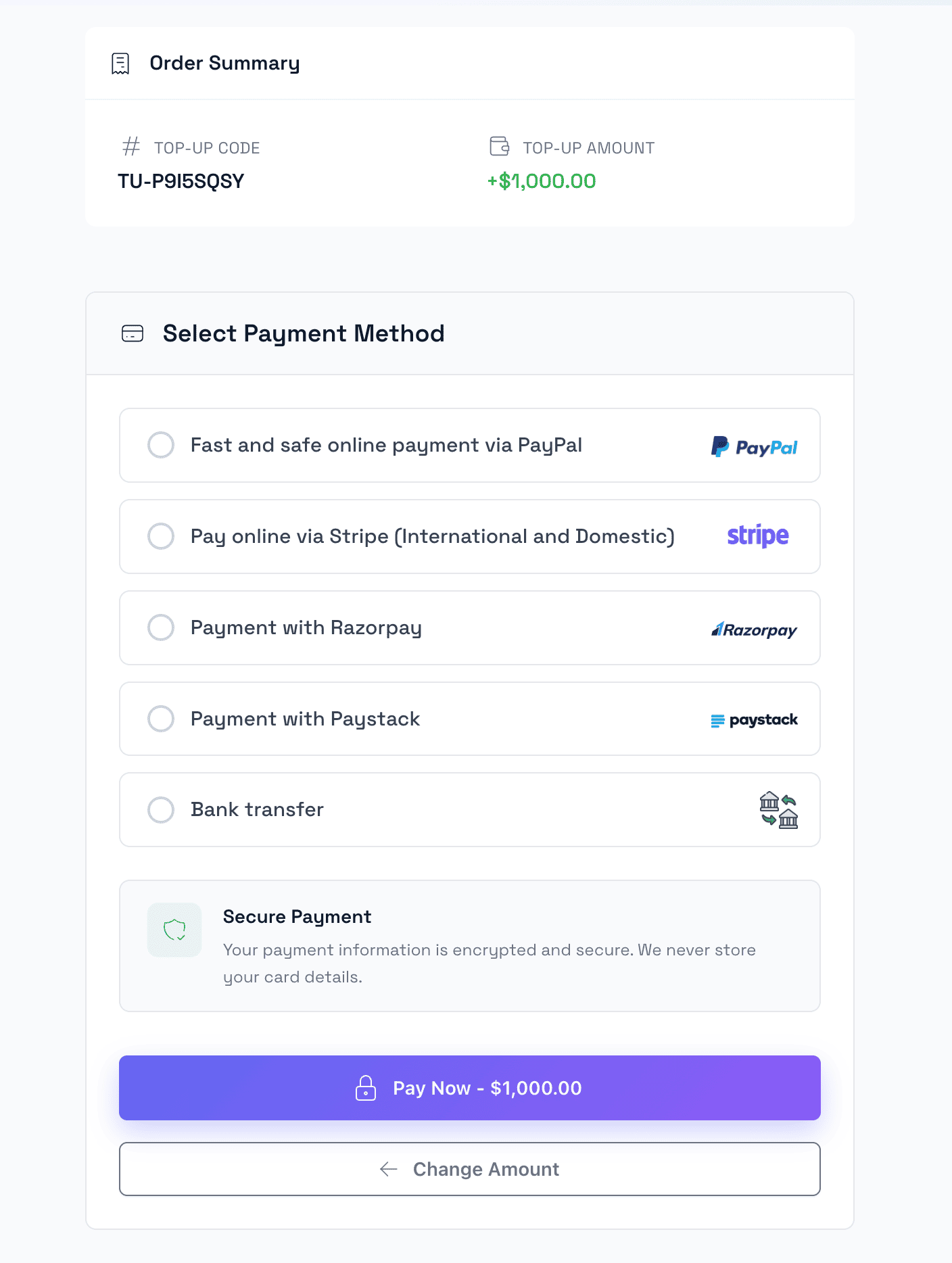
دفع الشحن
عملية دفع آمنة لشحن المحفظة مع خيارات بوابات دفع متعددة.
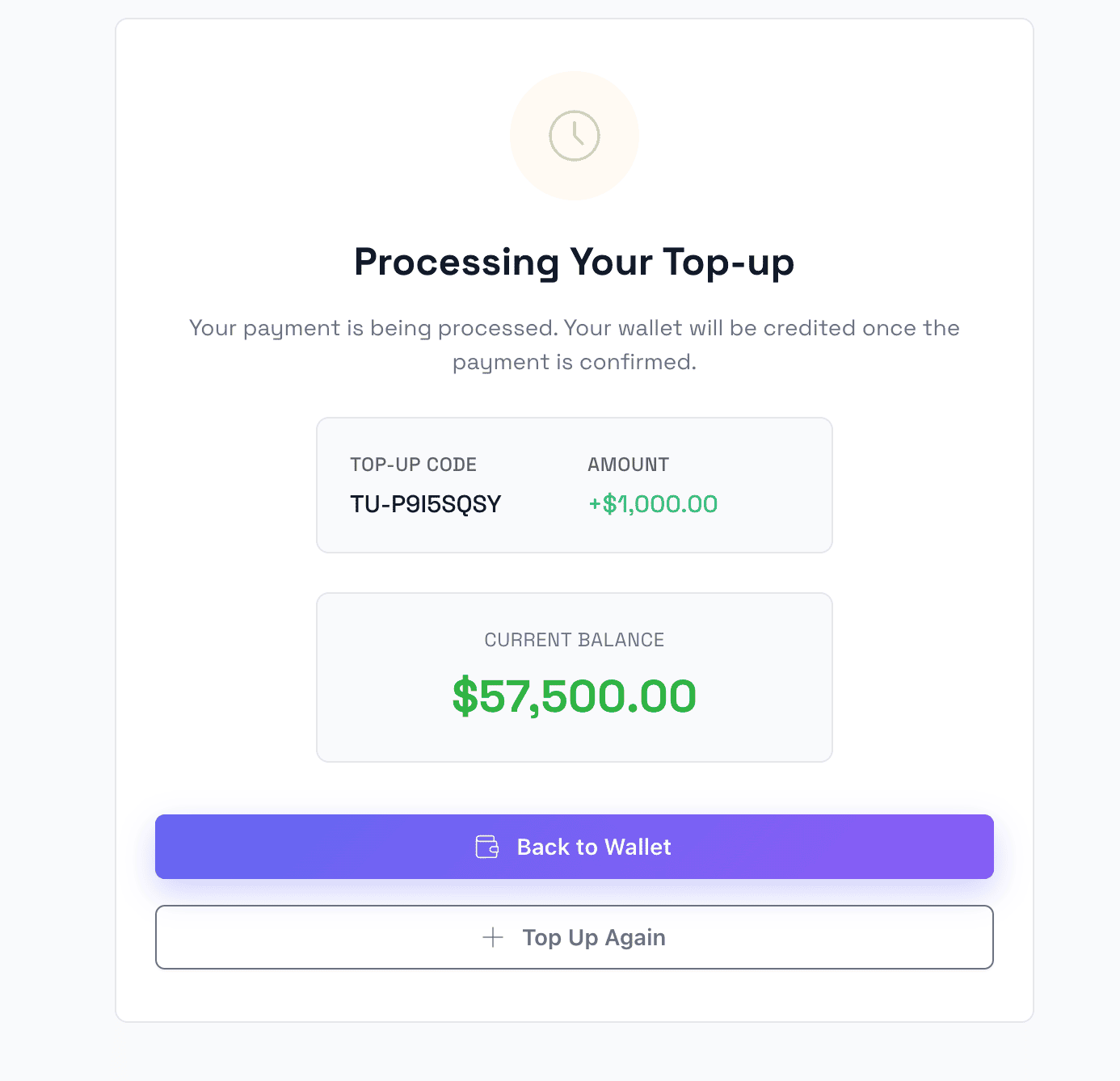
شحن ناجح
صفحة تأكيد تعرض شحن المحفظة الناجح مع معلومات الرصيد المحدثة.
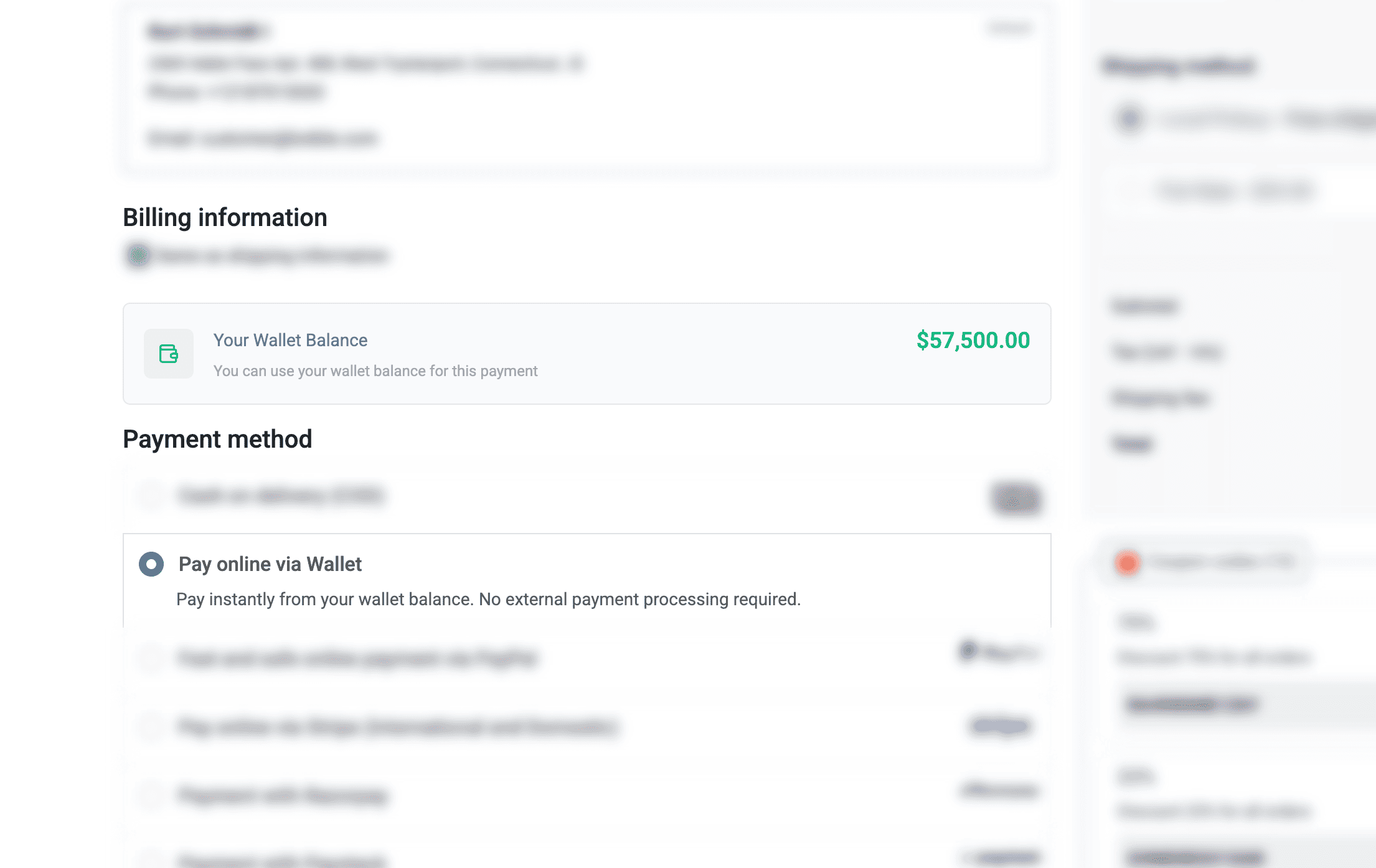
الدفع بالمحفظة الإلكترونية
استخدم رصيد المحفظة كطريقة دفع عند الدفع للمعاملات السريعة والسهلة.
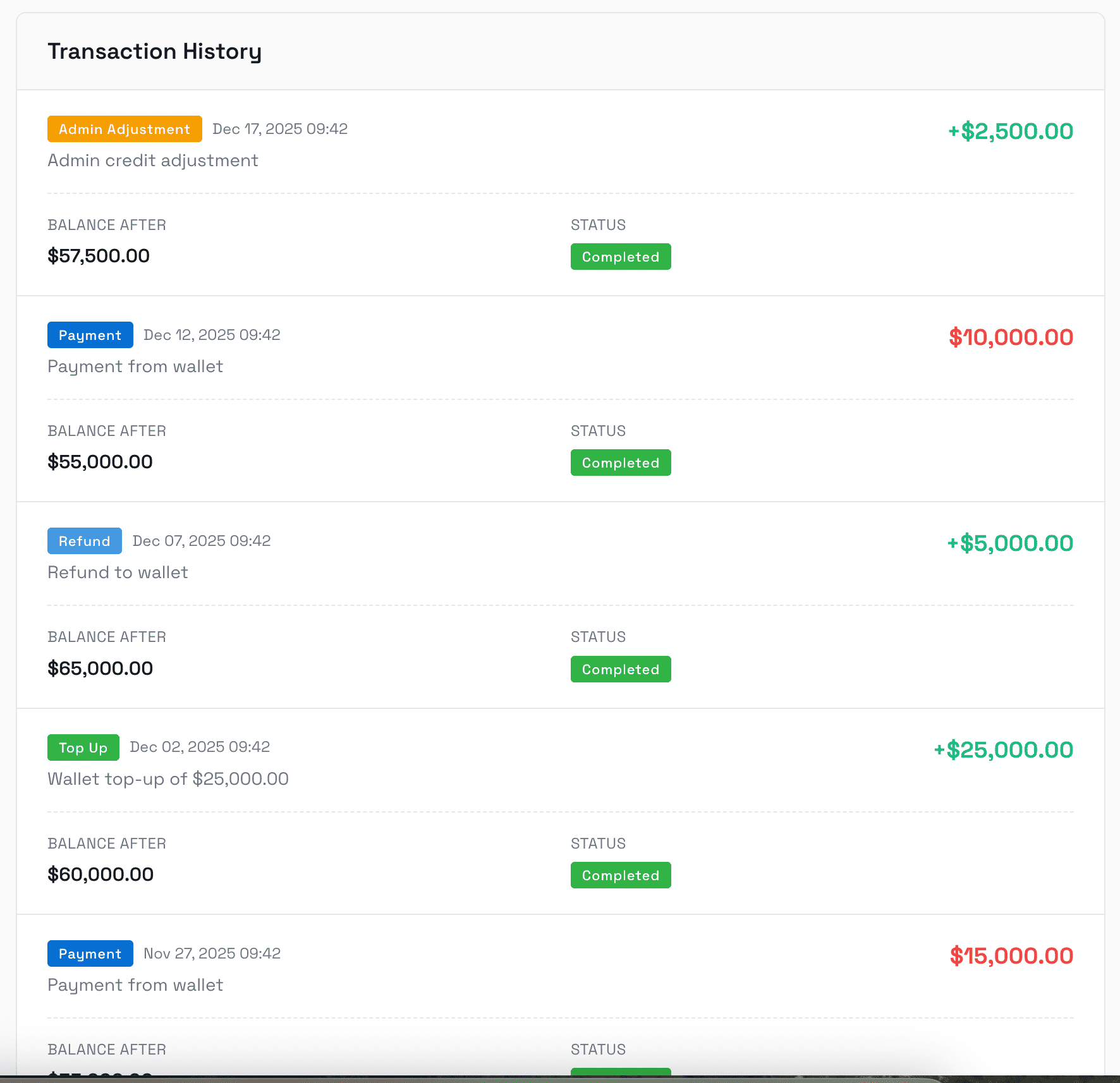
سجل المعاملات
سجل معاملات كامل يعرض جميع عمليات الشحن والمدفوعات والمبالغ المستردة والتعديلات مع معلومات مفصلة.
لوحة الإدارة
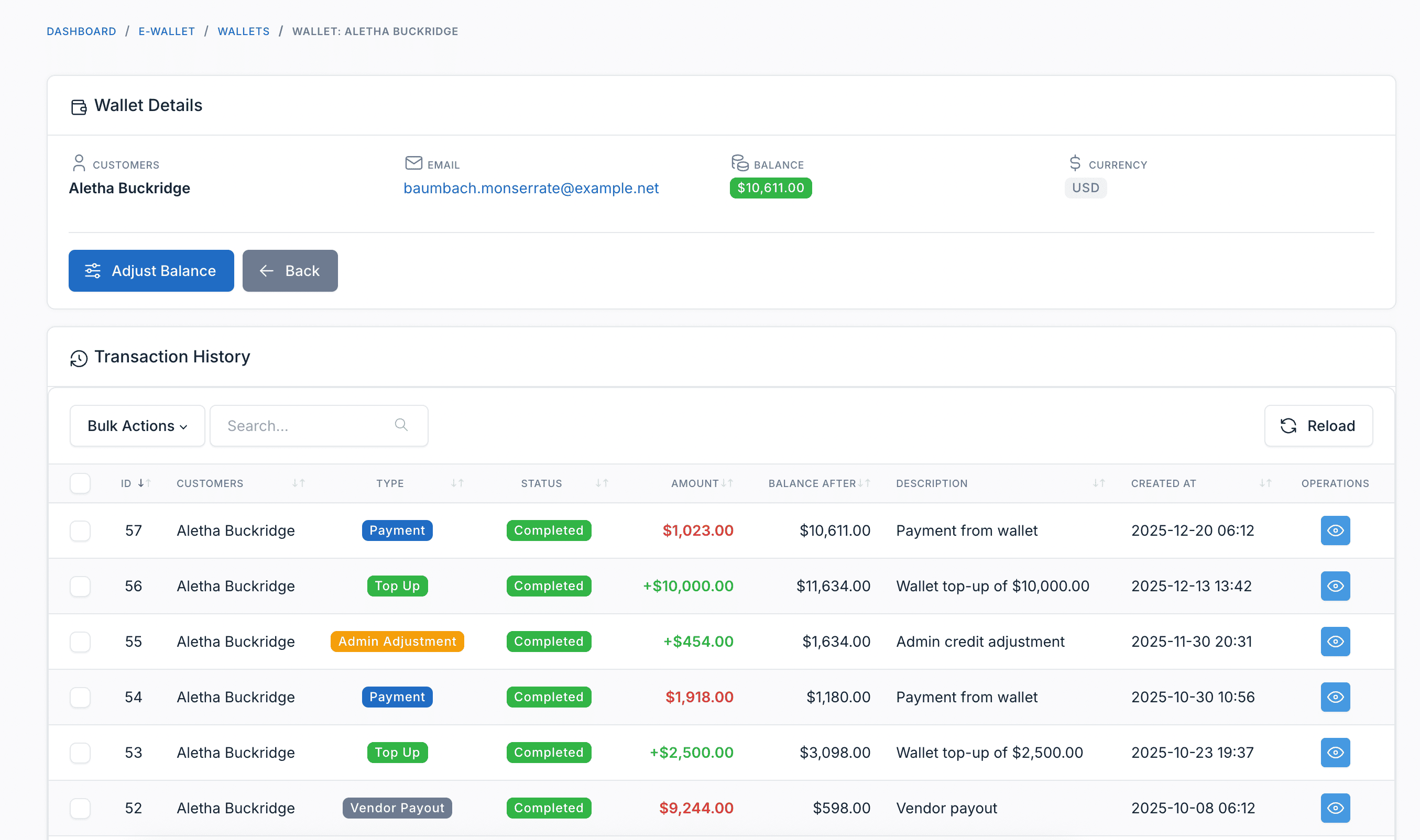
إدارة محافظ العملاء
يمكن للمسؤولين عرض جميع محافظ العملاء والأرصدة وتعديل أموال المحفظة يدوياً عند الحاجة.
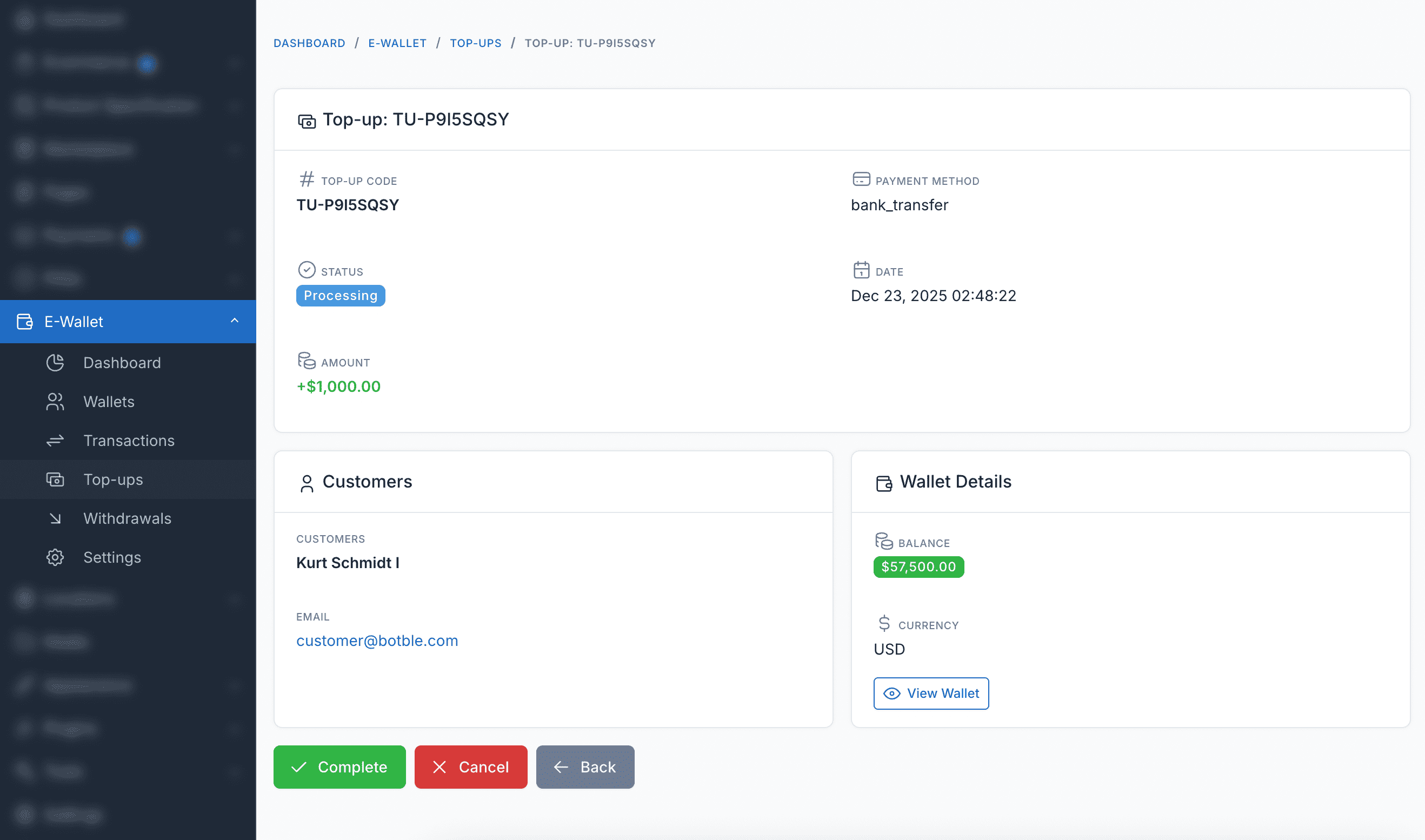
إدارة الشحن
عرض وإدارة جميع طلبات شحن العملاء، بما في ذلك المعاملات المعلقة والمكتملة والفاشلة.
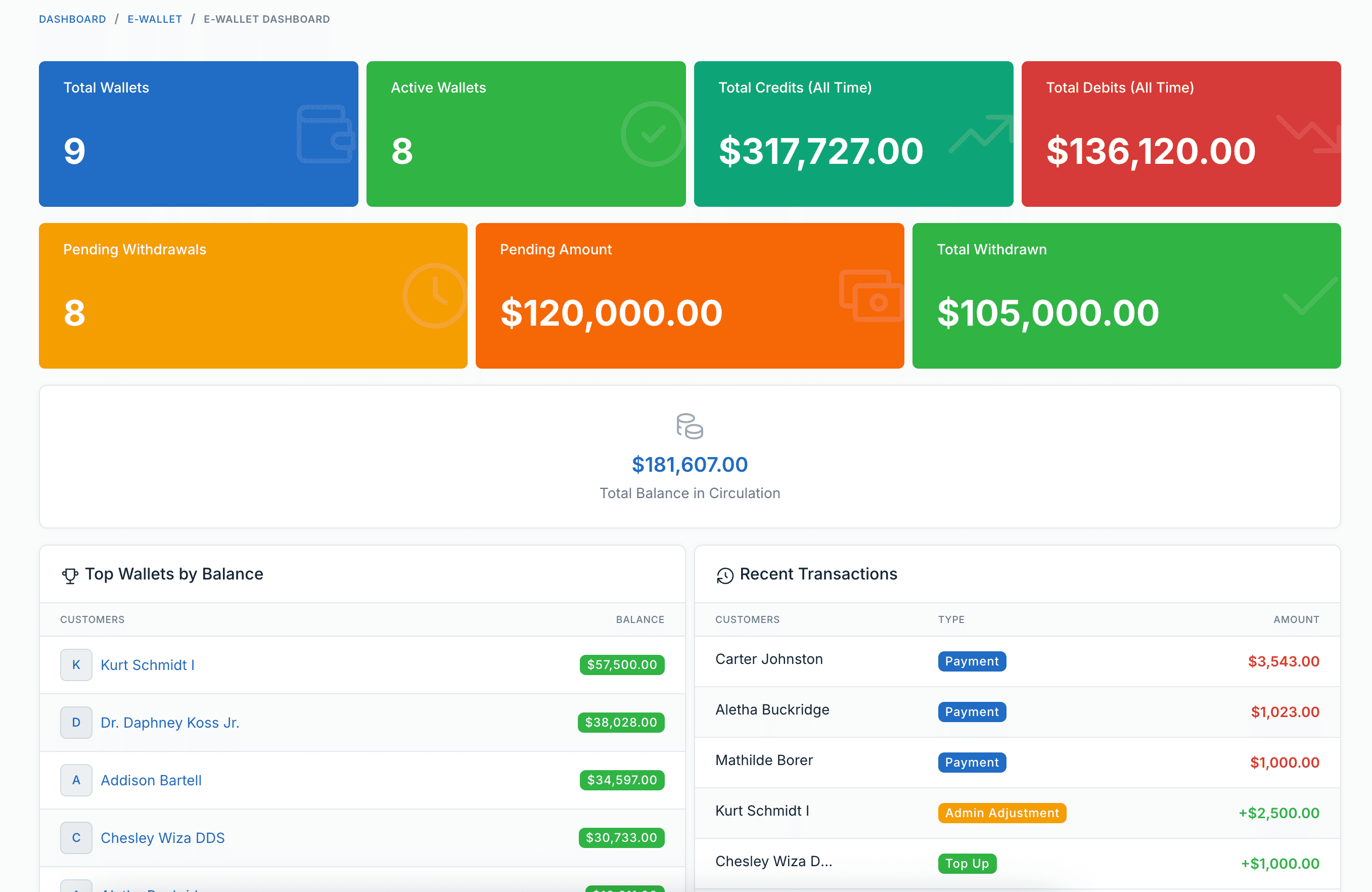
لوحة التقارير
تقارير وتحليلات شاملة لمعاملات المحفظة والشحن والأداء العام لنظام المحفظة.
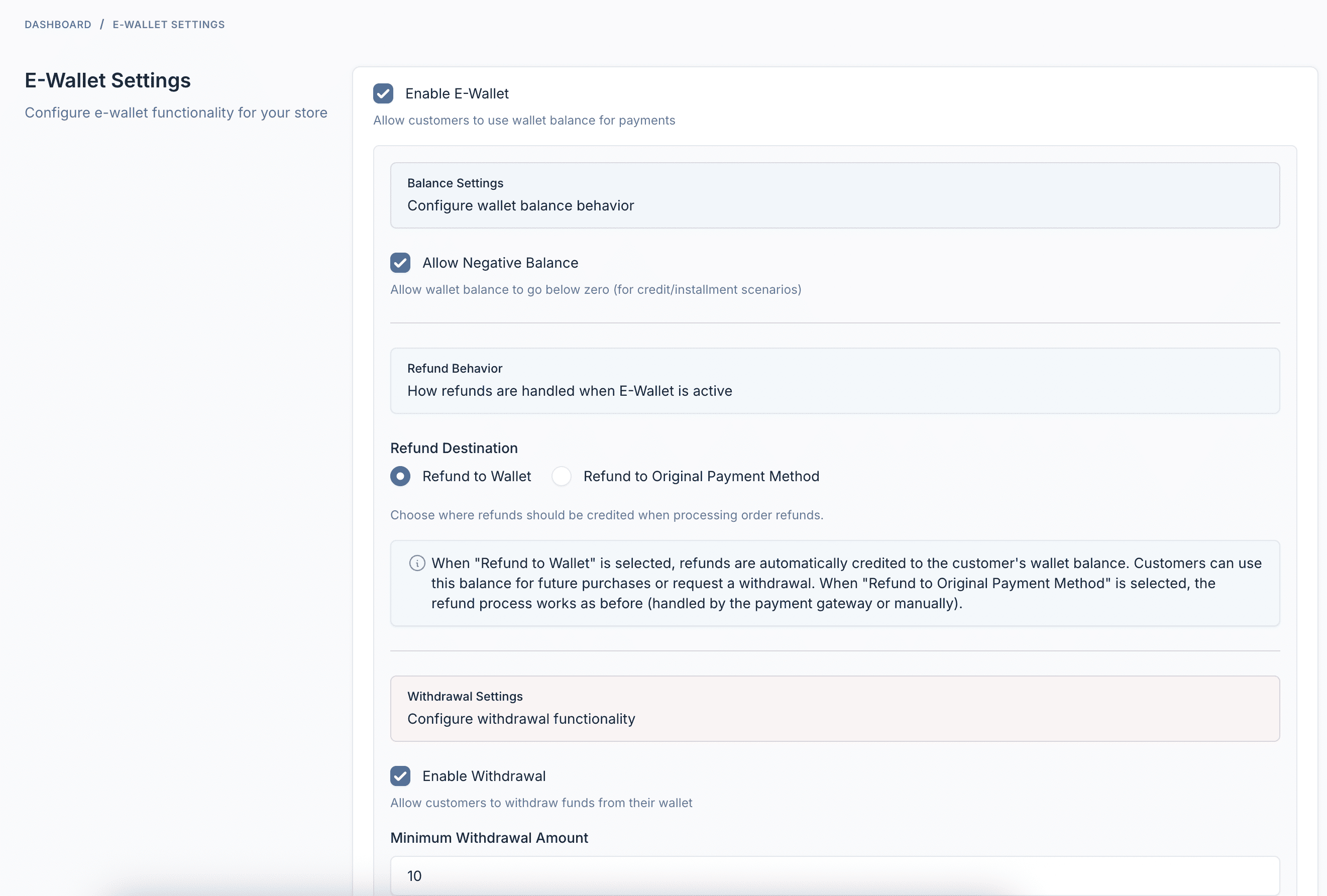
الإعدادات والتكوين
إعدادات قابلة للتكوين بالكامل بما في ذلك حدود الشحن الدنيا والقصوى وطرق الدفع وخيارات سلوك المحفظة.
مميزات الإضافة
كل ما تحتاجه لإدارة نظام محفظة إلكترونية ناجح
شحن المحفظة
يمكن للعملاء إضافة أموال إلى محفظتهم باستخدام أي بوابة دفع مكوّنة - Stripe أو PayPal أو التحويل البنكي والمزيد.
الدفع بالمحفظة
استخدم رصيد المحفظة عند الدفع للدفع الفوري. لا توجد معالجة دفع خارجية - فقط عملية شراء بنقرة واحدة.
السحوبات
يمكن للعملاء طلب سحب الأموال إلى حسابهم البنكي أو PayPal أو طرق الدفع الأخرى المكوّنة.
المبالغ المستردة التلقائية
عند إلغاء الطلبات أو إرجاعها، يتم إضافة المبالغ المستردة تلقائياً إلى محفظة العميل.
سجل المعاملات
سجل تدقيق كامل لجميع أنشطة المحفظة - الشحن والمدفوعات والمبالغ المستردة والسحوبات والتعديلات الإدارية.
لوحة تحكم العميل
لوحة تحكم جميلة للعملاء لعرض الرصيد والشحن وطلب السحب وتتبع المعاملات.
إدارة المسؤول
عرض جميع المحافظ وتعديل الأرصدة يدوياً وإدارة السحوبات وتكوين الإعدادات من لوحة الإدارة.
لوحة التحليلات
تقارير شاملة تعرض دوران المحفظة وأفضل العملاء واتجاهات المعاملات وصحة النظام.
تكامل Webhook
إرسال إشعارات HTTP إلى الأنظمة الخارجية عند إنشاء عمليات الشحن أو إكمالها أو فشلها أو إلغائها.
دعم لغات متعددة
متاح بأكثر من 30 لغة بما في ذلك الإنجليزية والفرنسية والألمانية والإسبانية والفيتنامية واليابانية والكورية والصينية والعربية والمزيد.
متوافق تماماً
يعمل مع جميع قوالب التجارة الإلكترونية Botble المتاحة على CodeCanyon.