
E-Wallet
Isi Ulang
Toko
Bayar
Tarik
Coba Sendiri
Instruksi Demo
Email: [email protected]
Kata Sandi: 12345678
Buka dashboard dompet Anda untuk melihat saldo dan riwayat transaksi.
Dompet SayaTambahkan dana ke dompet Anda menggunakan kartu kredit, PayPal, atau transfer bank.
Isi Ulang SekarangKlik tombol "Tambahkan ke Keranjang" pada produk yang ditampilkan di bawah ini dan lanjutkan ke checkout.
Saat checkout, pilih "E-Wallet" sebagai metode pembayaran untuk membayar menggunakan saldo dompet Anda.
Lanjut ke Checkout
Gift Cards
Gift cards let you give the gift of shopping! Purchase a gift card to send to friends or family, or redeem one you've received to add funds to your wallet.
How Gift Cards Work
Buy a gift card from your wallet dashboard. Choose any amount and optionally send it to someone via email.
Send the gift card code to friends or family via email, or keep it for yourself to use later.
Enter your gift card code to redeem it. The full balance will be added to your wallet instantly.
You can also apply a gift card directly at checkout to get a discount on your order.
Gift Card Features
Choose any gift card value within the store's limits.
Send gift cards directly to recipients with a personal message.
Redeemed funds are available immediately in your wallet.
Apply gift cards at checkout for instant order discounts.
Check your gift card balance anytime before redeeming.
Please login to purchase or redeem gift cards.
Tangkapan Layar
Lihat plugin E-Wallet beraksi
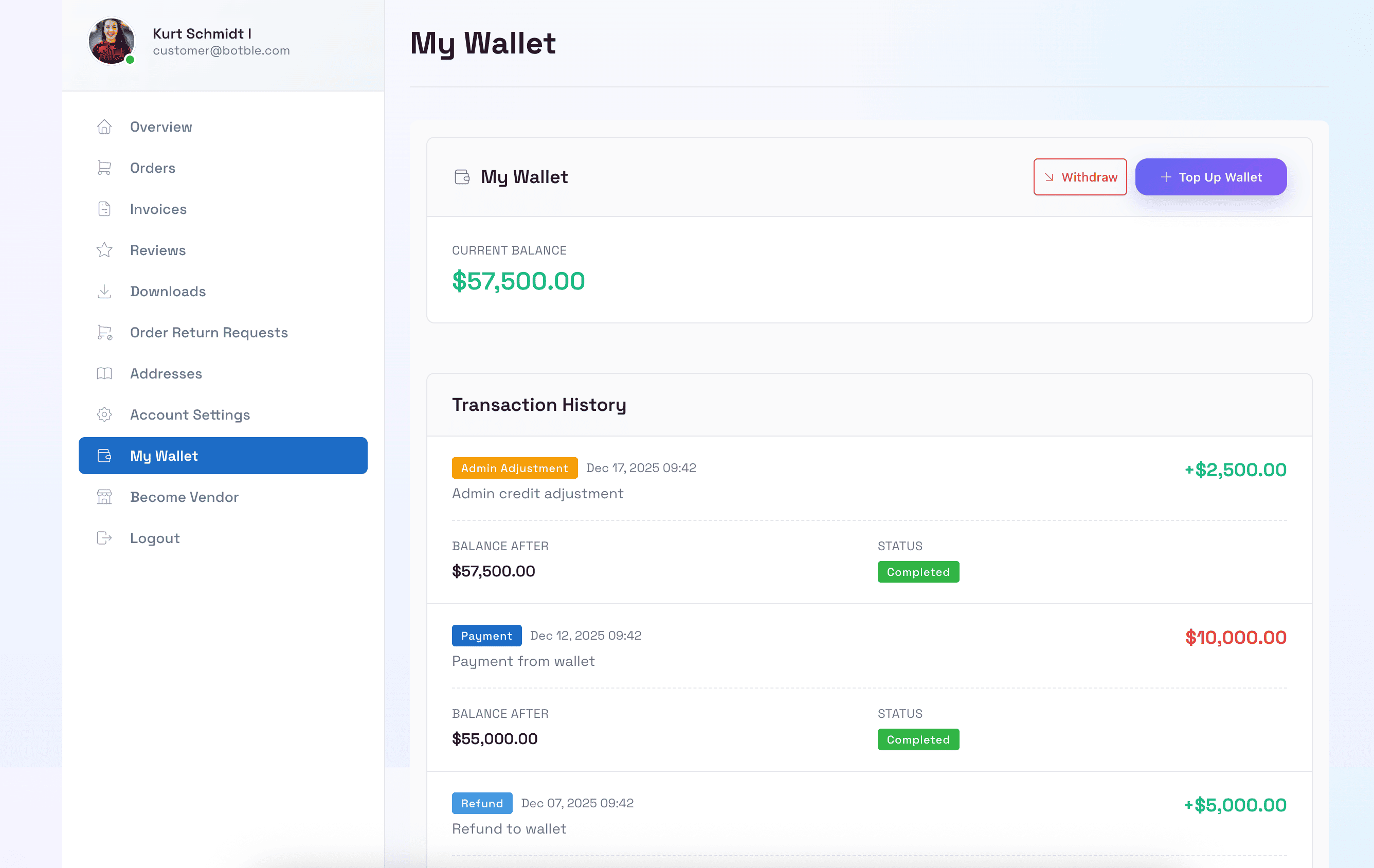
Dashboard Dompet Pelanggan
Pelanggan dapat melihat saldo dompet mereka, riwayat transaksi, dan mengelola dana mereka di dashboard akun.
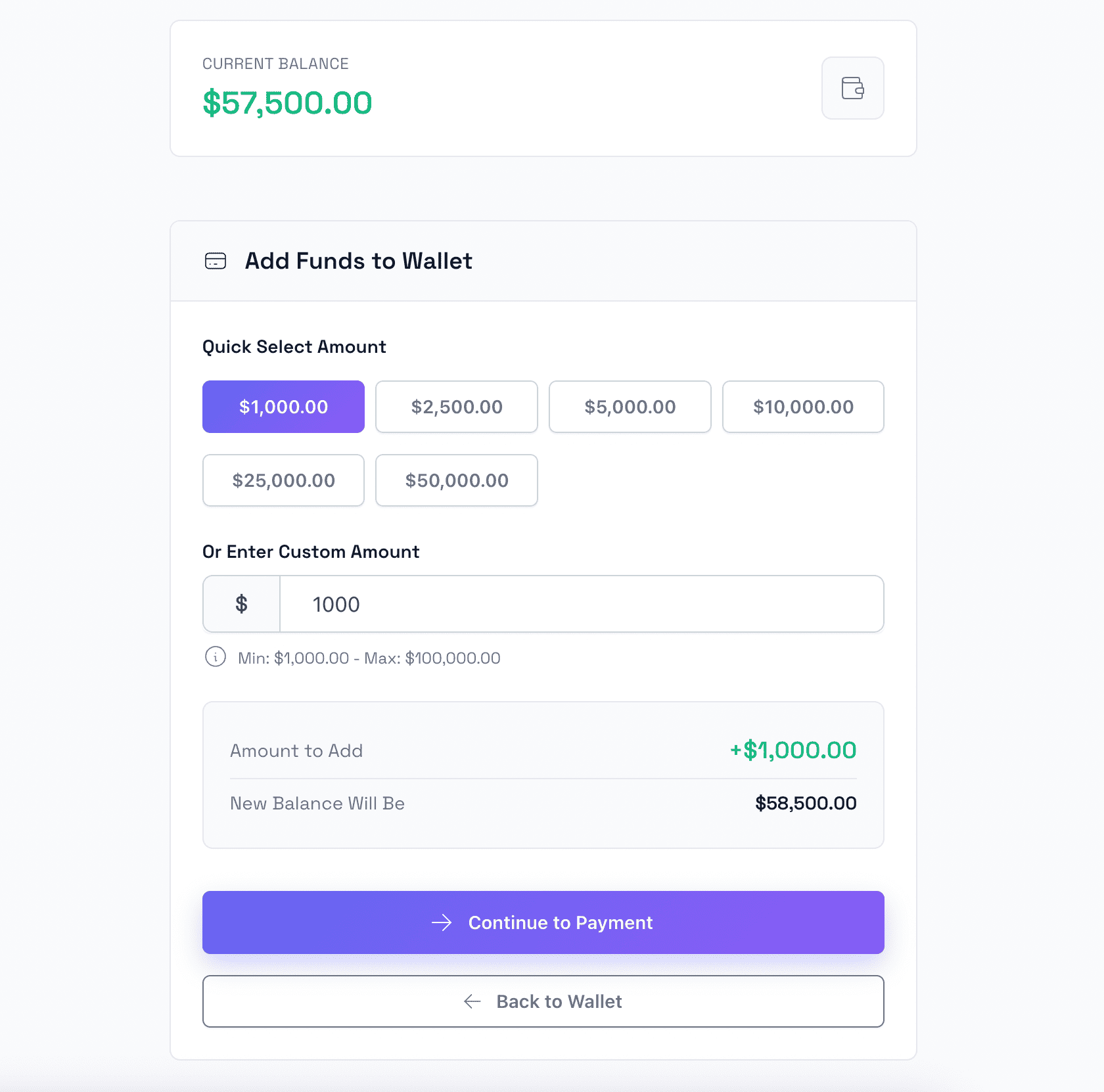
Isi Ulang Dompet
Pelanggan dapat dengan mudah menambahkan dana ke dompet mereka menggunakan berbagai metode pembayaran termasuk kartu kredit dan PayPal.
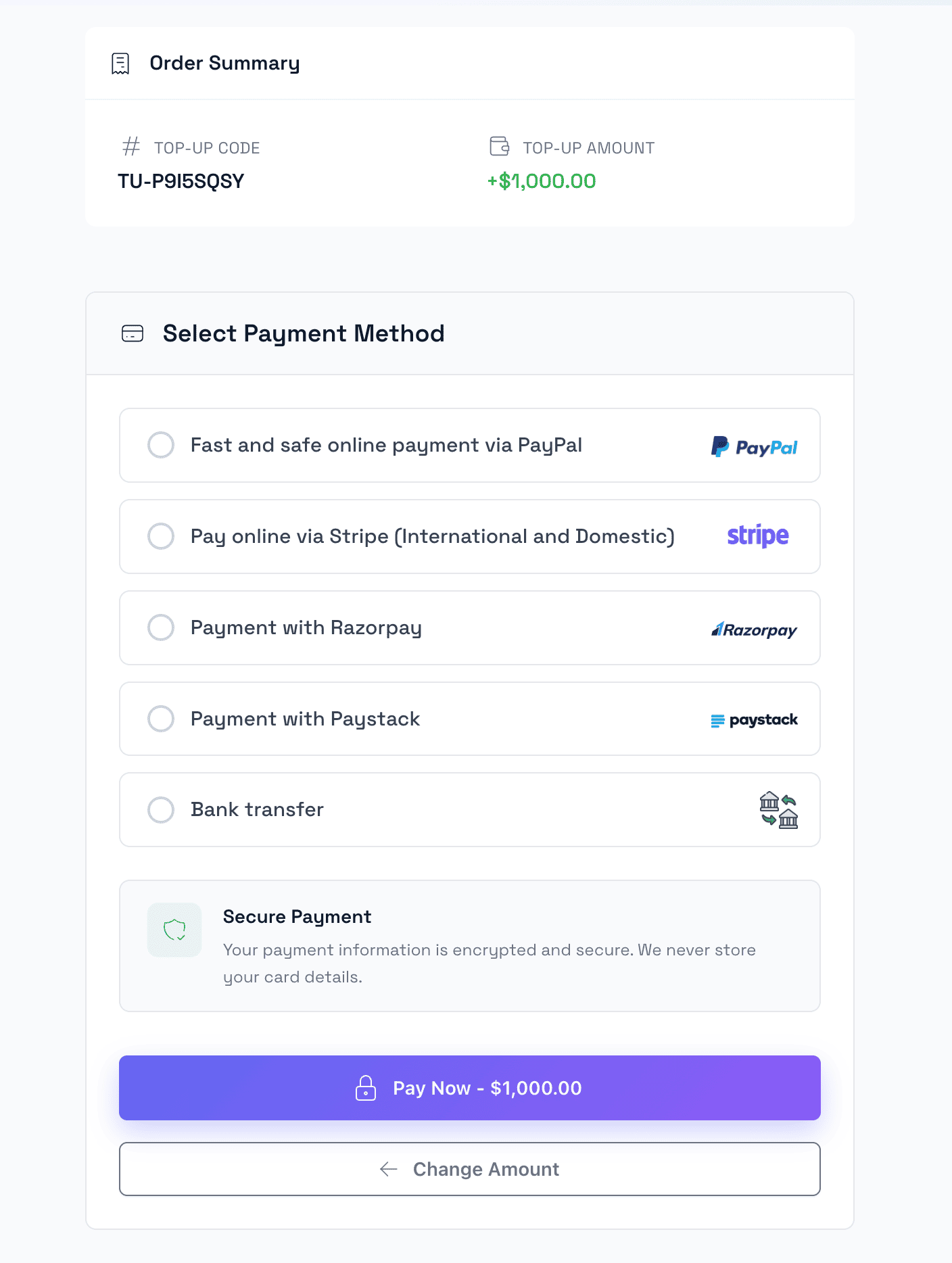
Checkout Isi Ulang
Proses checkout aman untuk isi ulang dompet dengan berbagai opsi gateway pembayaran.
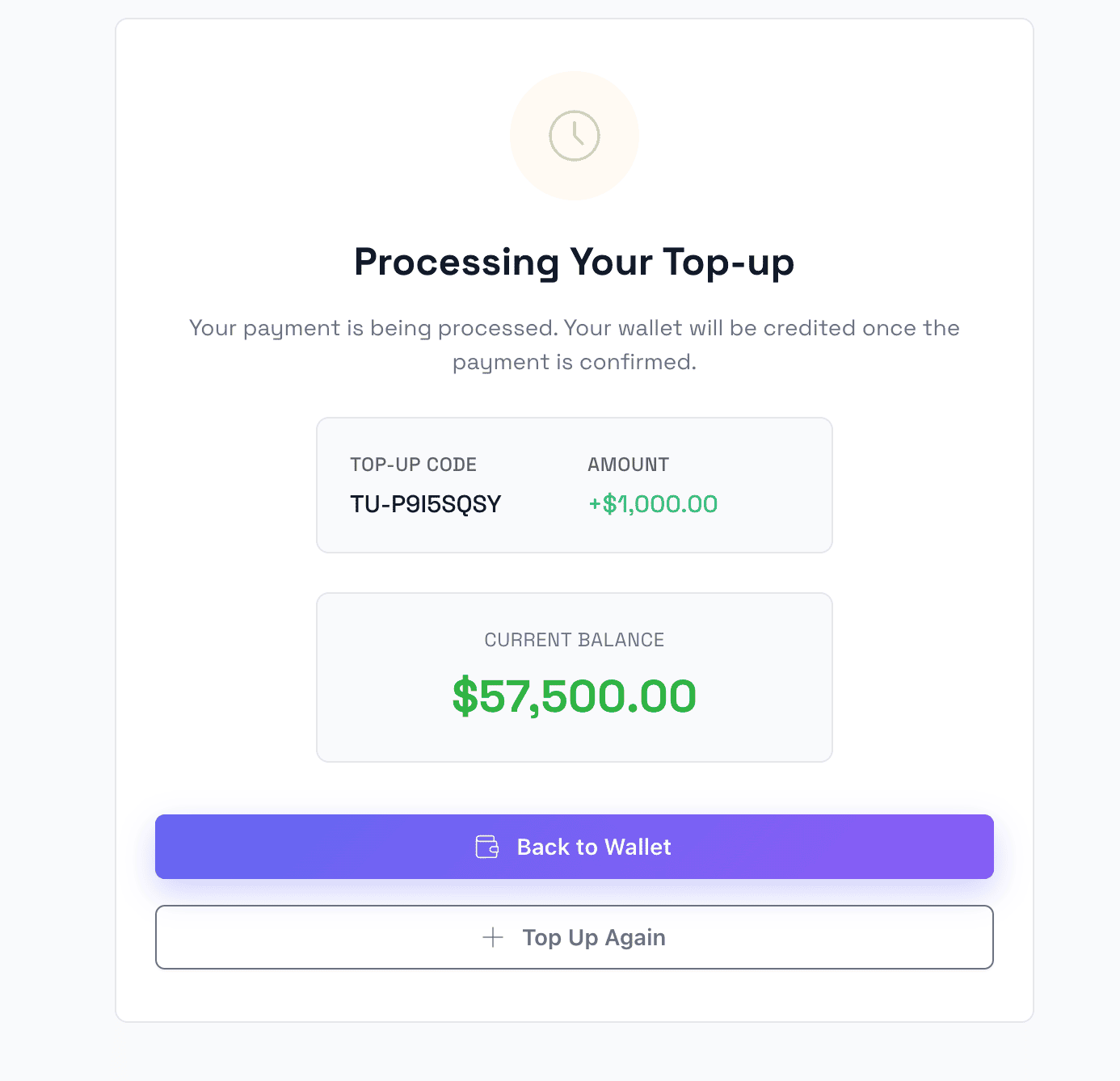
Isi Ulang Berhasil
Halaman konfirmasi yang menampilkan isi ulang dompet berhasil dengan informasi saldo yang diperbarui.
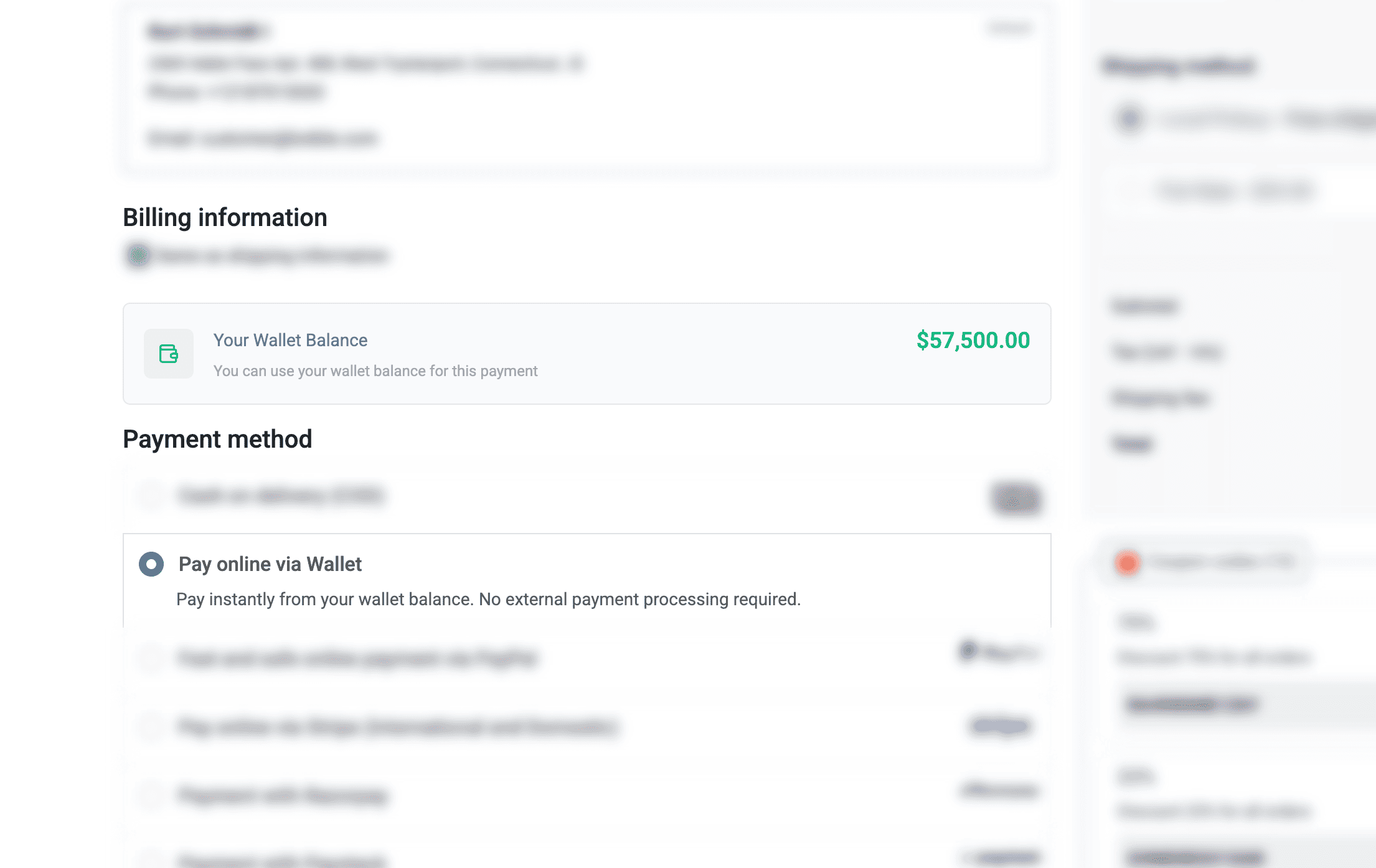
Bayar dengan E-Wallet
Gunakan saldo dompet sebagai metode pembayaran saat checkout untuk transaksi yang cepat dan mudah.
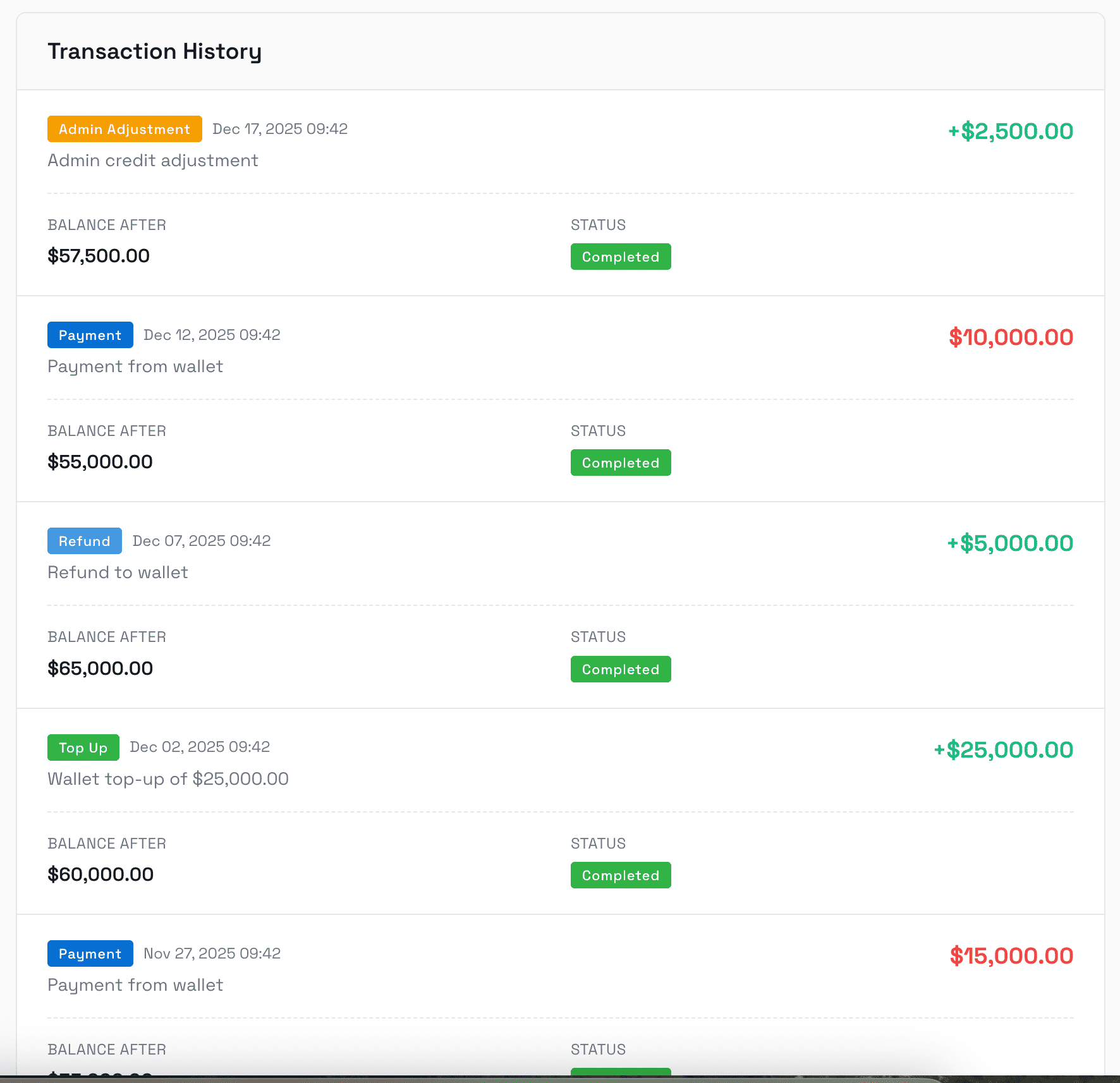
Riwayat Transaksi
Log transaksi lengkap yang menampilkan semua isi ulang, pembayaran, pengembalian dana, dan penyesuaian dengan informasi detail.
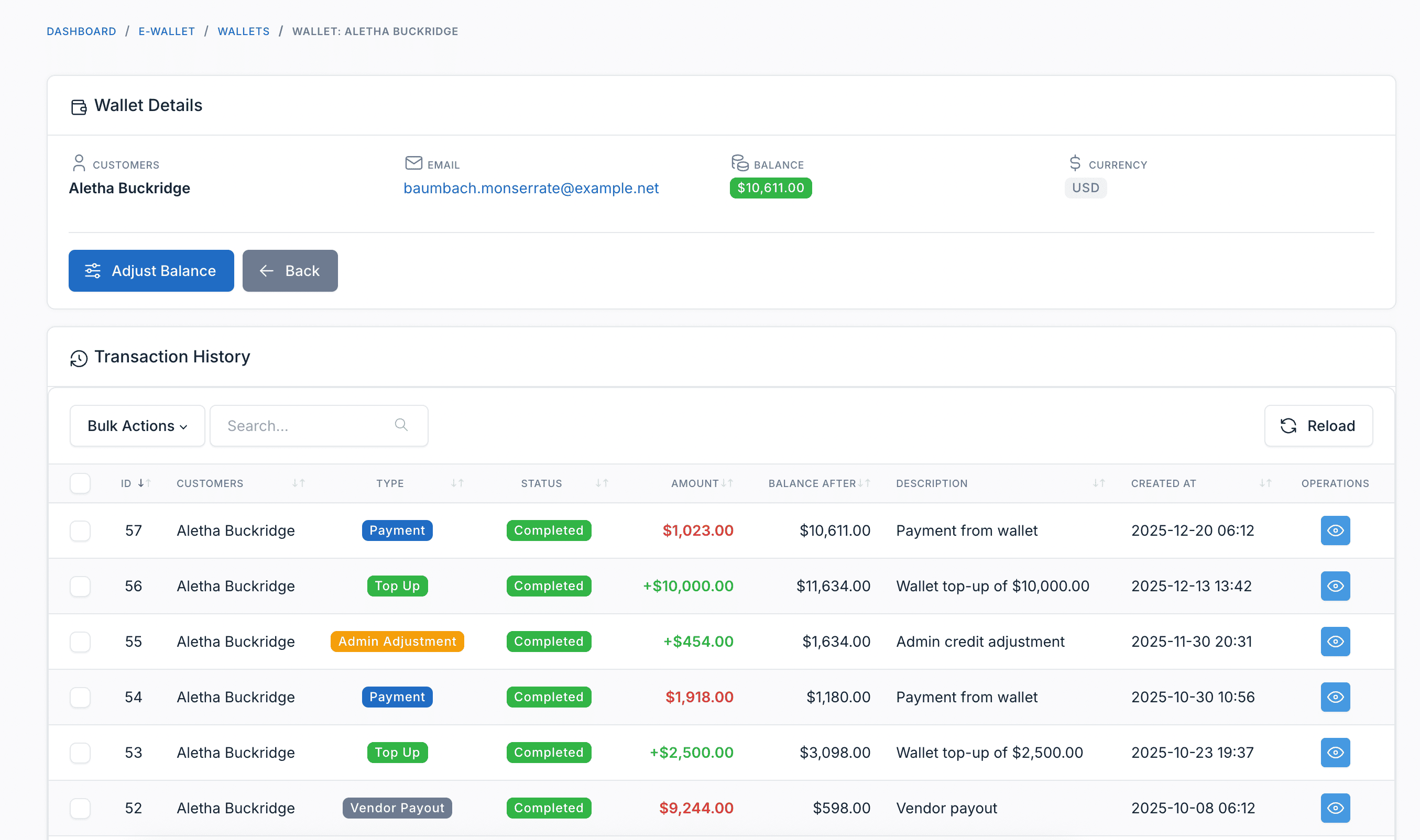
Panel Admin
Kelola Dompet Pelanggan
Administrator dapat melihat semua dompet pelanggan, saldo, dan menyesuaikan dana dompet secara manual saat diperlukan.
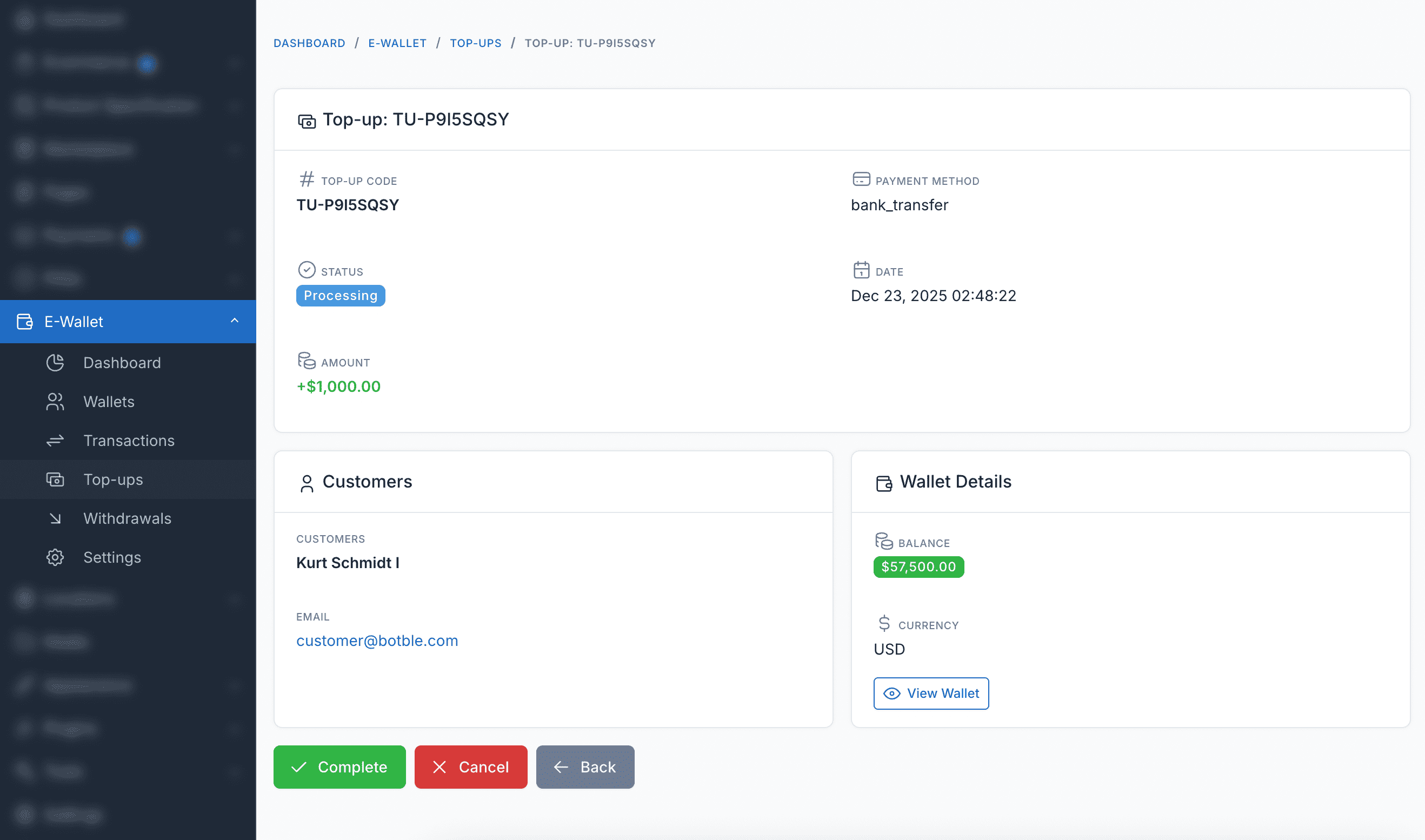
Manajemen Isi Ulang
Lihat dan kelola semua permintaan isi ulang pelanggan, termasuk transaksi pending, selesai, dan gagal.
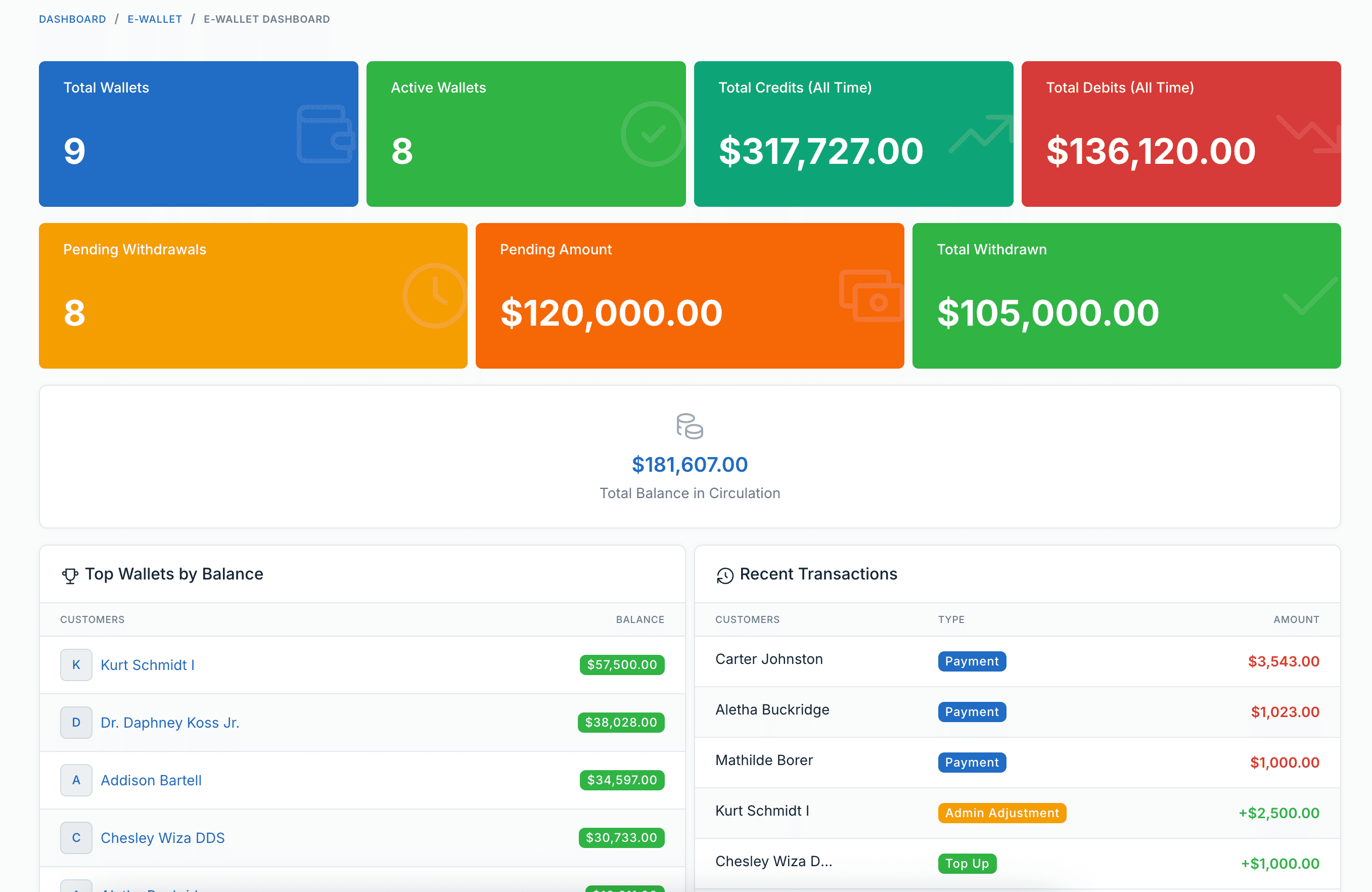
Dashboard Laporan
Laporan dan analitik komprehensif untuk transaksi dompet, isi ulang, dan kinerja sistem dompet secara keseluruhan.
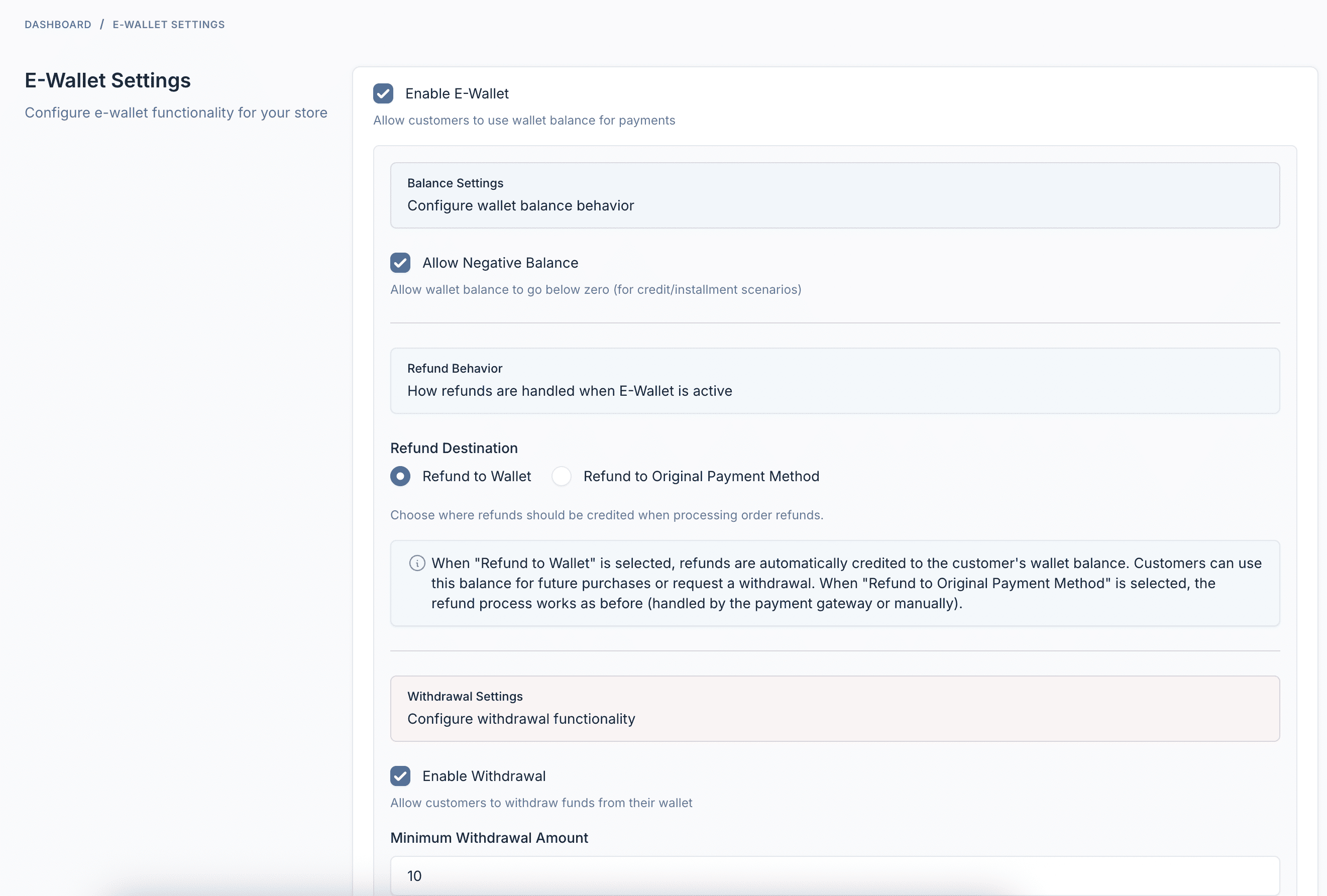
Pengaturan & Konfigurasi
Pengaturan yang dapat dikonfigurasi sepenuhnya termasuk batas minimum/maksimum isi ulang, metode pembayaran, dan opsi perilaku dompet.
Fitur Plugin
Semua yang Anda butuhkan untuk menjalankan sistem E-Wallet yang sukses
Isi Ulang Dompet
Pelanggan dapat menambahkan dana ke dompet mereka menggunakan gateway pembayaran yang dikonfigurasi - Stripe, PayPal, transfer bank, dan lainnya.
Bayar dengan Dompet
Gunakan saldo dompet saat checkout untuk pembayaran instan. Tidak perlu pemrosesan pembayaran eksternal - hanya pembelian satu klik.
Penarikan
Pelanggan dapat meminta penarikan dana ke rekening bank mereka, PayPal, atau metode pembayaran lain yang dikonfigurasi.
Pengembalian Dana Otomatis
Saat pesanan dibatalkan atau dikembalikan, pengembalian dana secara otomatis dikreditkan kembali ke dompet pelanggan.
Riwayat Transaksi
Jejak audit lengkap dari semua aktivitas dompet - isi ulang, pembayaran, pengembalian dana, penarikan, dan penyesuaian admin.
Dashboard Pelanggan
Dashboard yang indah untuk pelanggan melihat saldo, isi ulang, meminta penarikan, dan melacak transaksi.
Manajemen Admin
Lihat semua dompet, sesuaikan saldo secara manual, kelola penarikan, dan konfigurasi pengaturan dari panel admin.
Dashboard Analitik
Laporan komprehensif yang menampilkan sirkulasi dompet, pelanggan teratas, tren transaksi, dan kesehatan sistem.
Integrasi Webhook
Kirim notifikasi HTTP ke sistem eksternal saat isi ulang dibuat, selesai, gagal, atau dibatalkan.
Dukungan Multi-bahasa
Tersedia dalam 30+ bahasa termasuk Inggris, Prancis, Jerman, Spanyol, Vietnam, Jepang, Korea, Mandarin, Arab, dan lainnya.
Sepenuhnya Kompatibel
Bekerja dengan semua tema e-commerce Botble yang tersedia di CodeCanyon.