
Yükle
Mağaza
Öde
Para Çek
Kendiniz Deneyin
Demo Talimatları
E-posta: [email protected]
Şifre: 12345678
Bakiyenizi ve işlem geçmişinizi görmek için cüzdan panonuza gidin.
CüzdanımKredi kartı, PayPal veya banka havalesiyle cüzdanınıza bakiye ekleyin.
Şimdi YükleAşağıda gösterilen üründeki "Sepete Ekle" butonuna tıklayın ve ödemeye geçin.
Ödemede, cüzdan bakiyenizi kullanarak ödeme yapmak için "E-Cüzdan"ı ödeme yöntemi olarak seçin.
Ödemeye Git
Gift Cards
Gift cards let you give the gift of shopping! Purchase a gift card to send to friends or family, or redeem one you've received to add funds to your wallet.
How Gift Cards Work
Buy a gift card from your wallet dashboard. Choose any amount and optionally send it to someone via email.
Send the gift card code to friends or family via email, or keep it for yourself to use later.
Enter your gift card code to redeem it. The full balance will be added to your wallet instantly.
You can also apply a gift card directly at checkout to get a discount on your order.
Gift Card Features
Choose any gift card value within the store's limits.
Send gift cards directly to recipients with a personal message.
Redeemed funds are available immediately in your wallet.
Apply gift cards at checkout for instant order discounts.
Check your gift card balance anytime before redeeming.
Please login to purchase or redeem gift cards.
Ekran Görüntüleri
E-Cüzdan eklentisini çalışırken görün
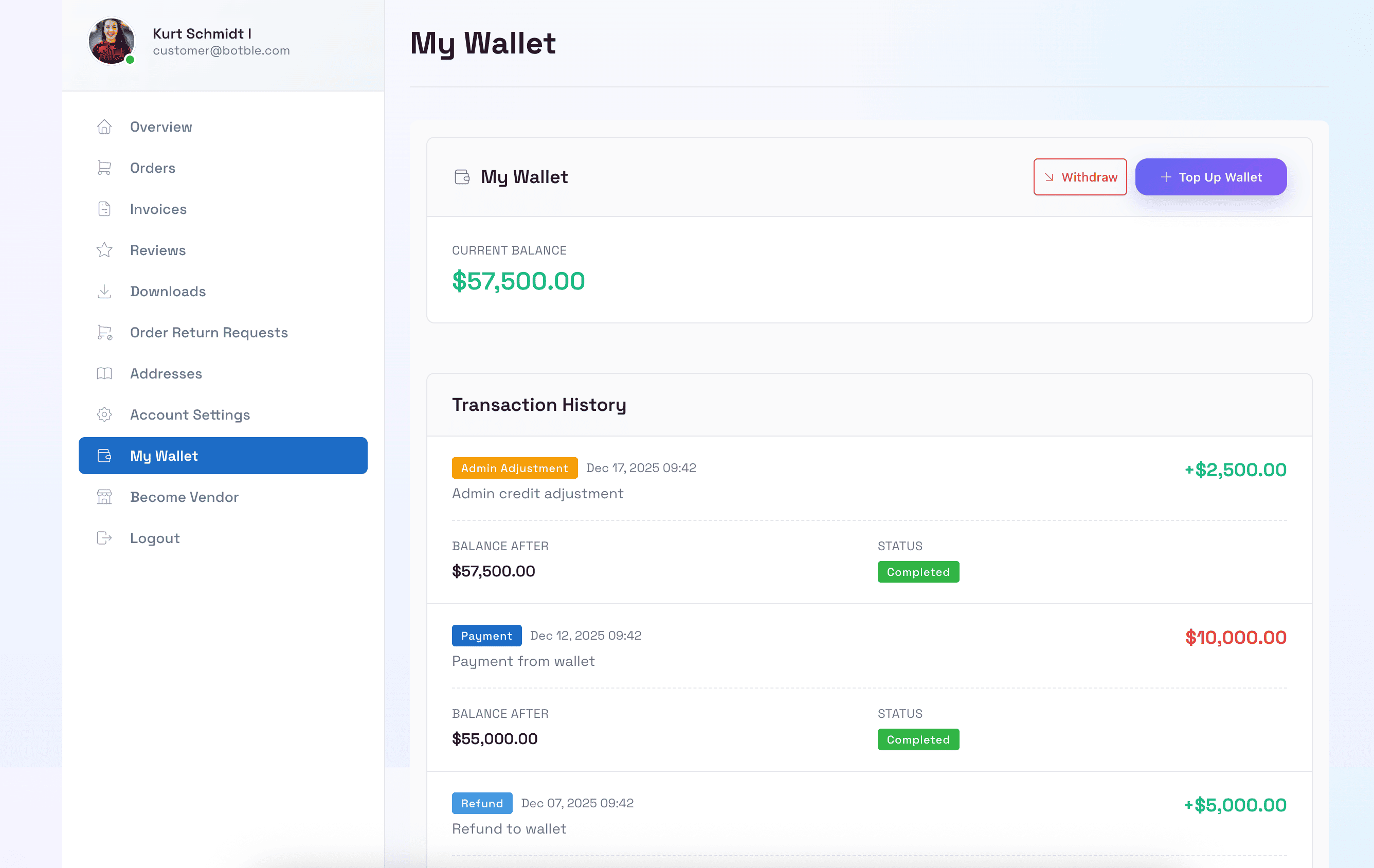
Müşteri Cüzdan Panosu
Müşteriler cüzdan bakiyelerini, işlem geçmişlerini görüntüleyebilir ve hesap panosunda paralarını yönetebilir.
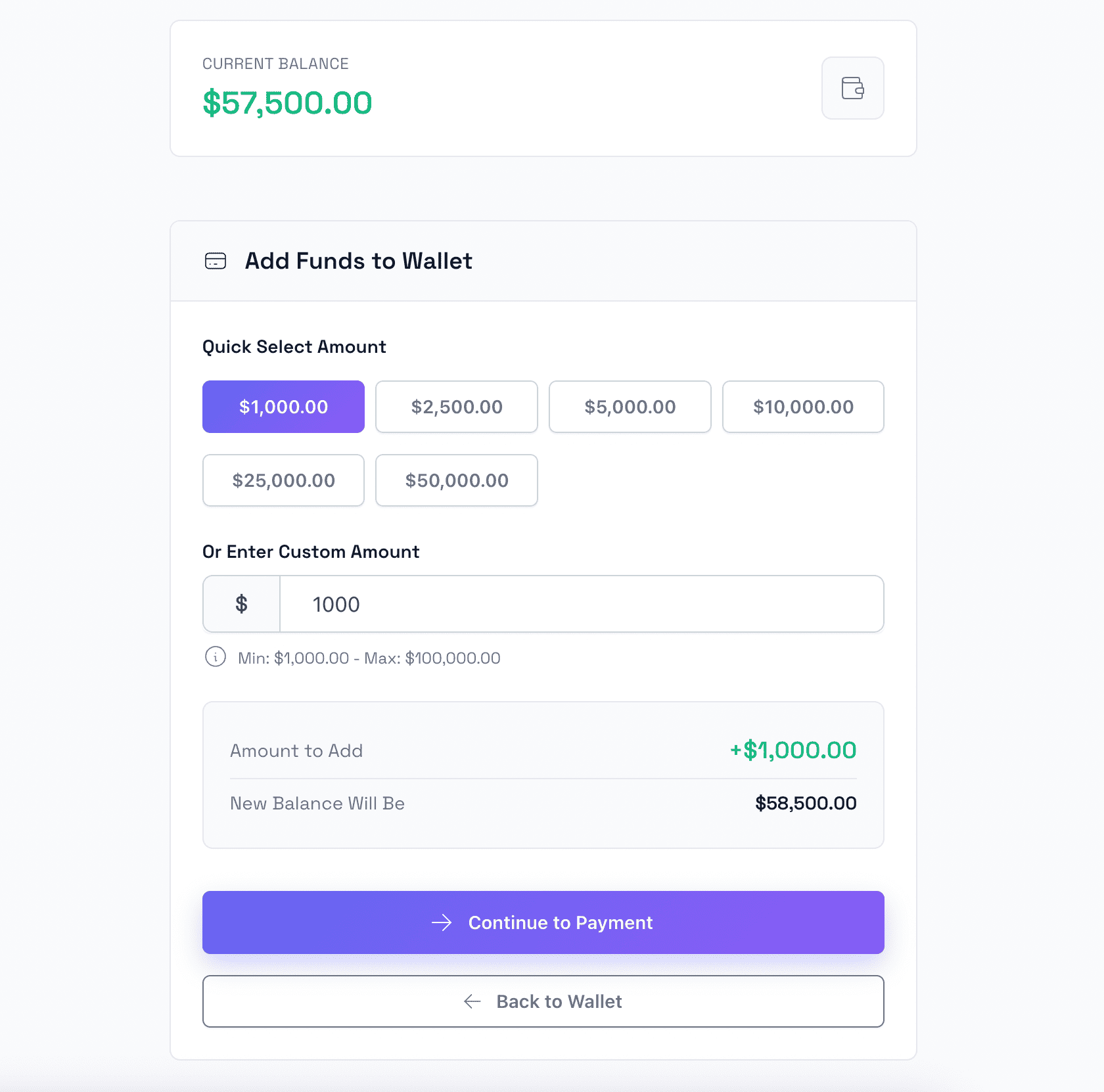
Cüzdan Yükle
Müşteriler kredi kartları ve PayPal dahil çeşitli ödeme yöntemlerini kullanarak cüzdanlarına kolayca bakiye ekleyebilir.
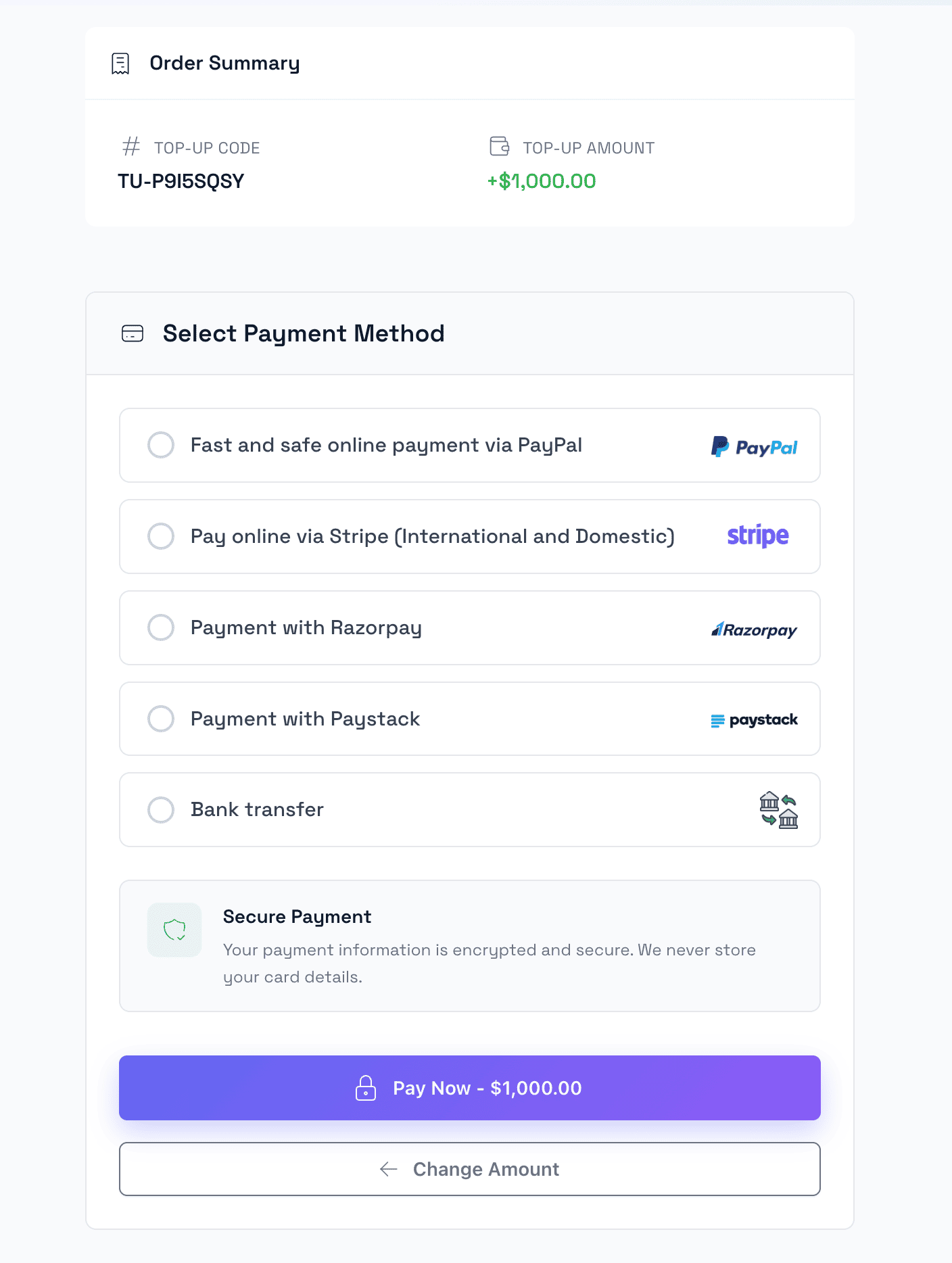
Yükleme Ödemesi
Birden fazla ödeme ağ geçidi seçeneğiyle cüzdan yüklemeleri için güvenli ödeme işlemi.
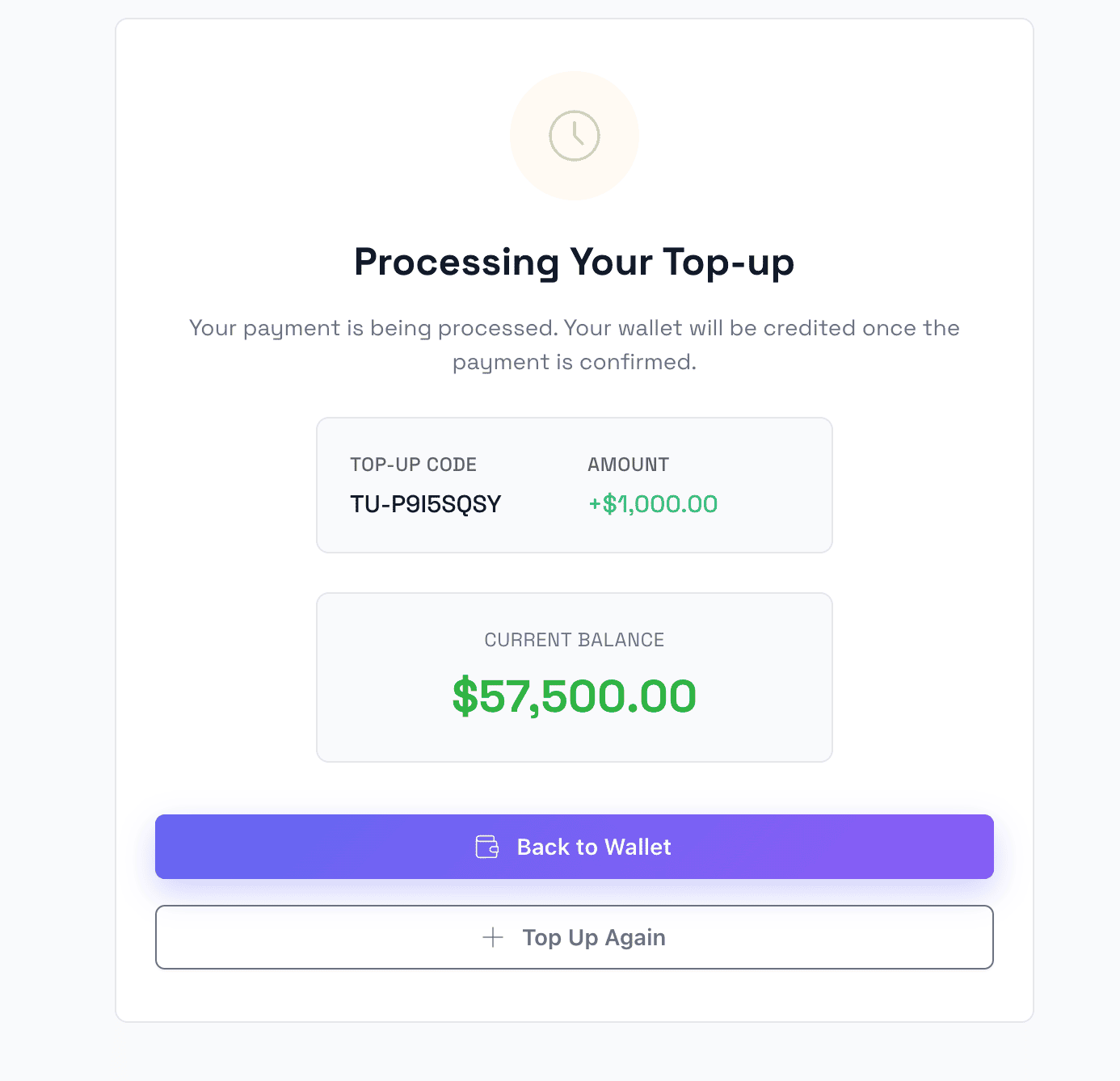
Yükleme Başarılı
Güncellenmiş bakiye bilgileriyle başarılı cüzdan yüklemesini gösteren onay sayfası.
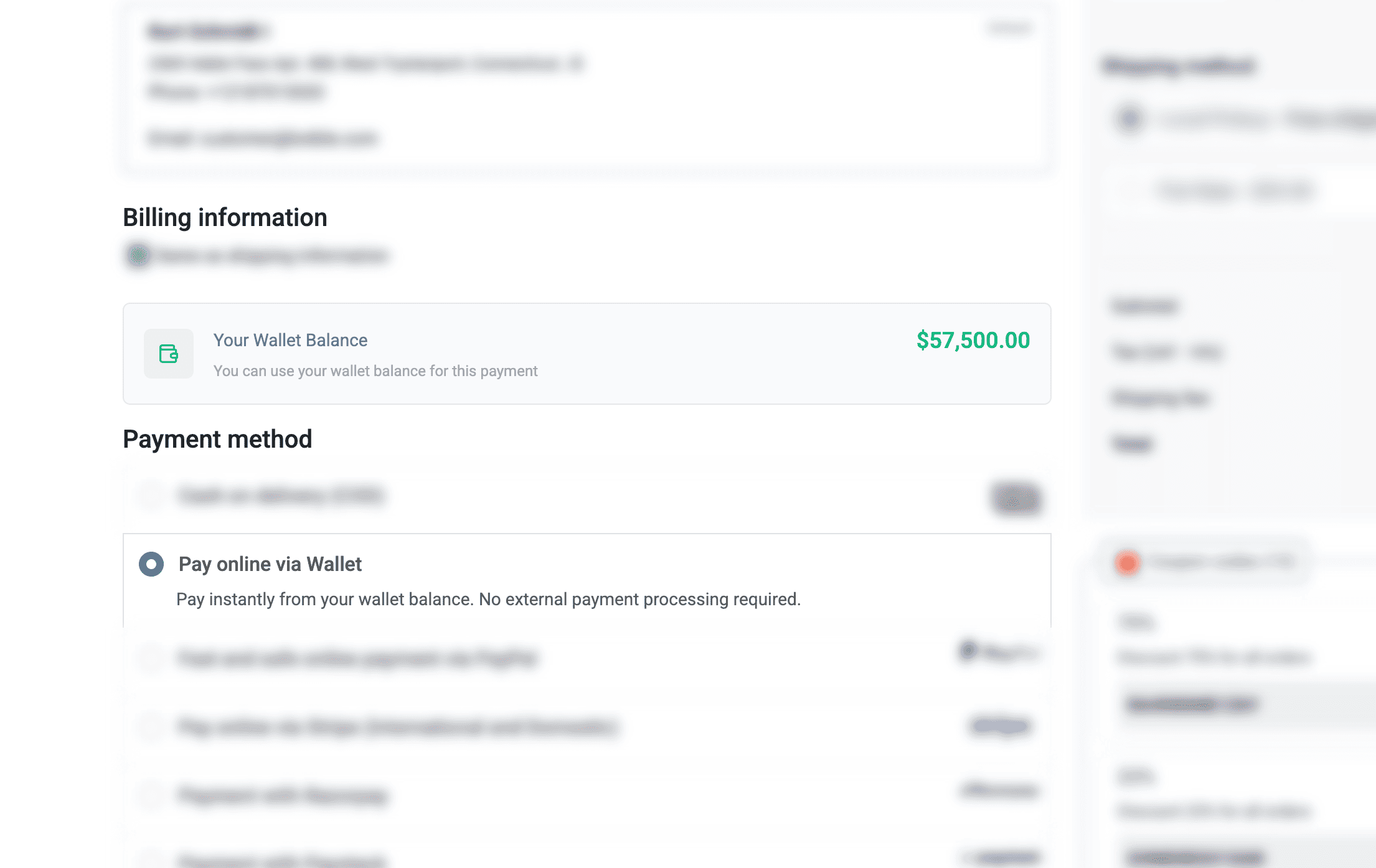
E-Cüzdan ile Öde
Hızlı ve kolay işlemler için ödemede cüzdan bakiyesini ödeme yöntemi olarak kullanın.
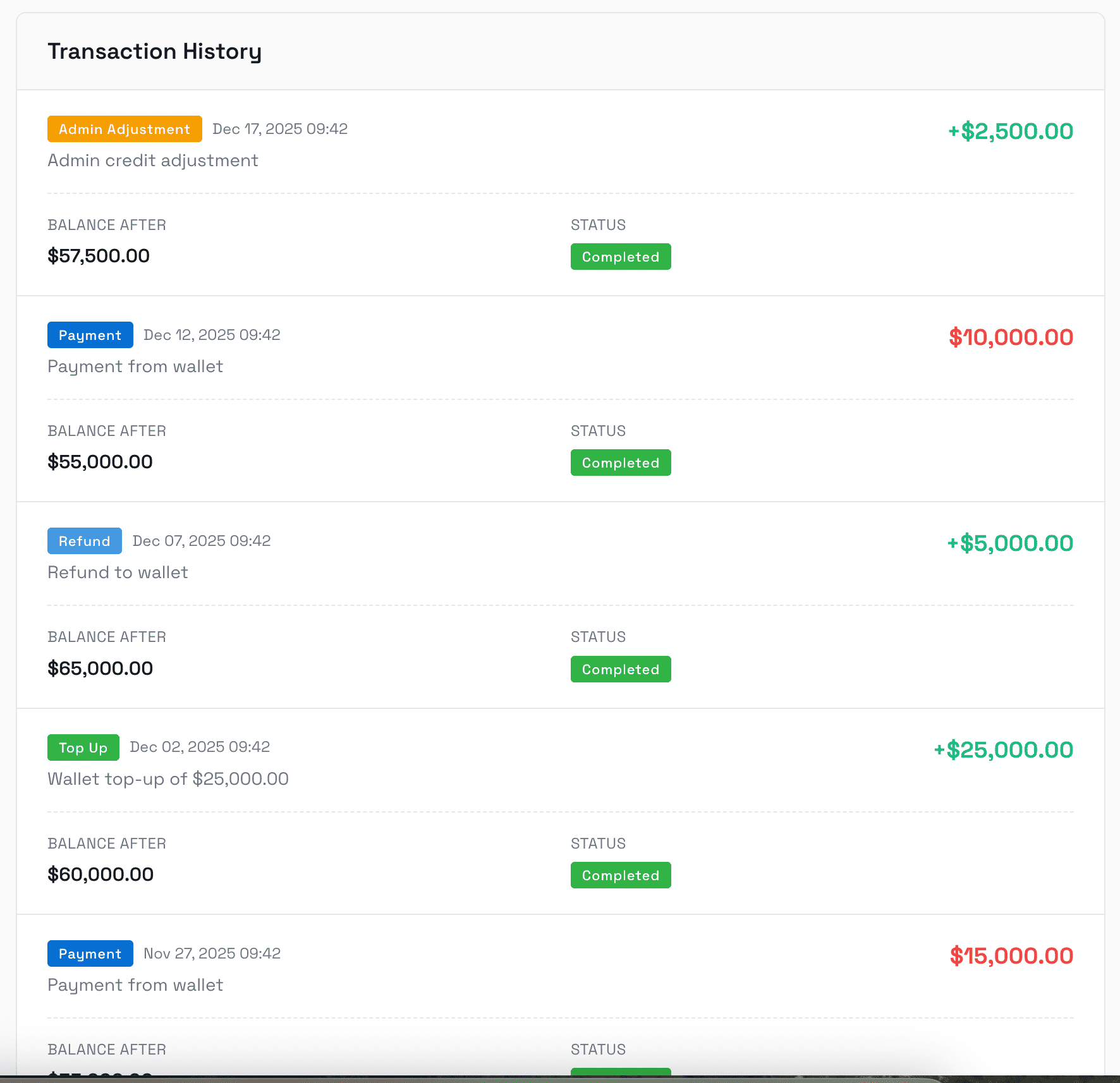
İşlem Geçmişi
Ayrıntılı bilgilerle tüm yüklemeleri, ödemeleri, iadeleri ve düzenlemeleri gösteren eksiksiz işlem kaydı.
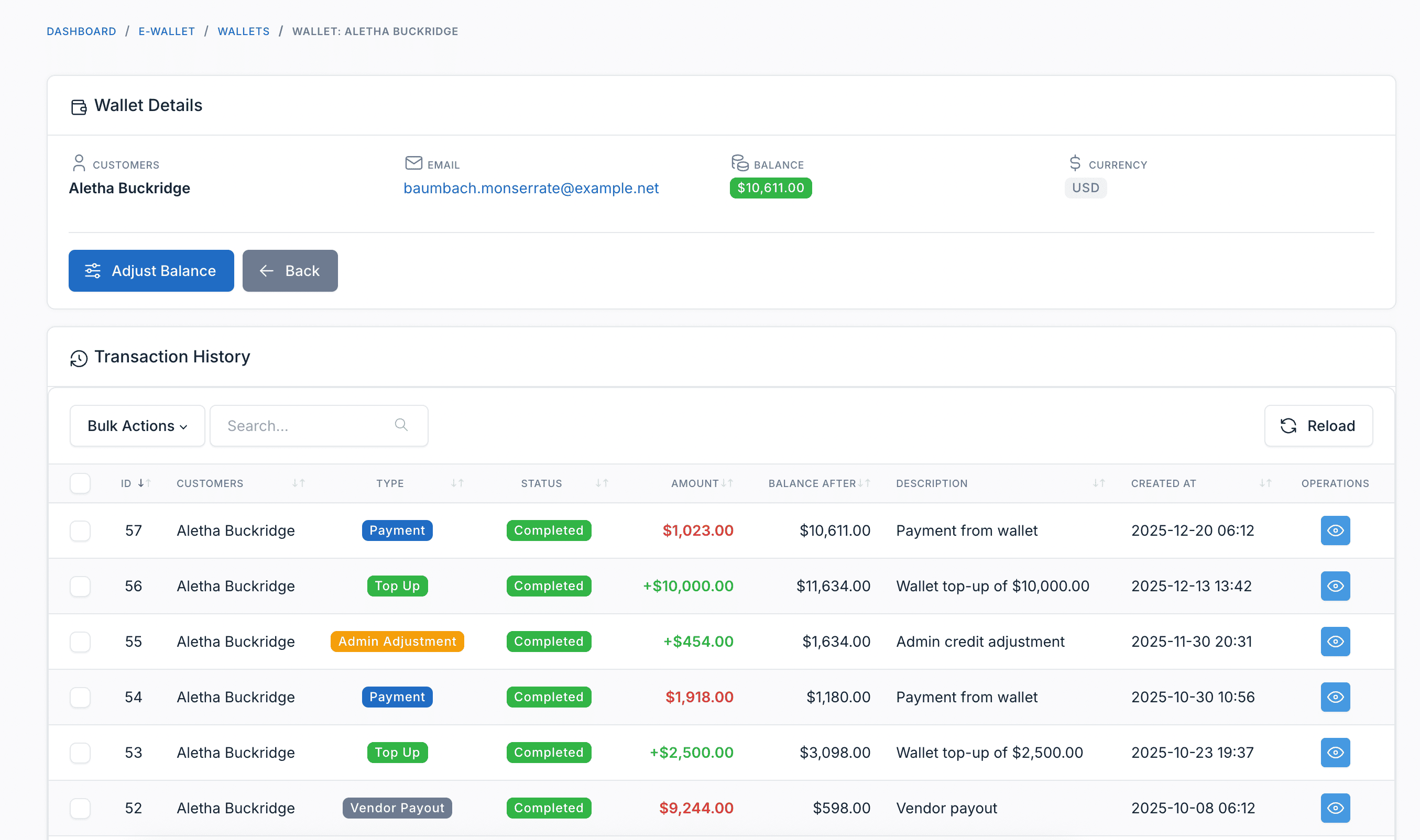
Yönetim Paneli
Müşteri Cüzdanlarını Yönet
Yöneticiler tüm müşteri cüzdanlarını, bakiyelerini görüntüleyebilir ve gerektiğinde cüzdan bakiyelerini manuel olarak ayarlayabilir.
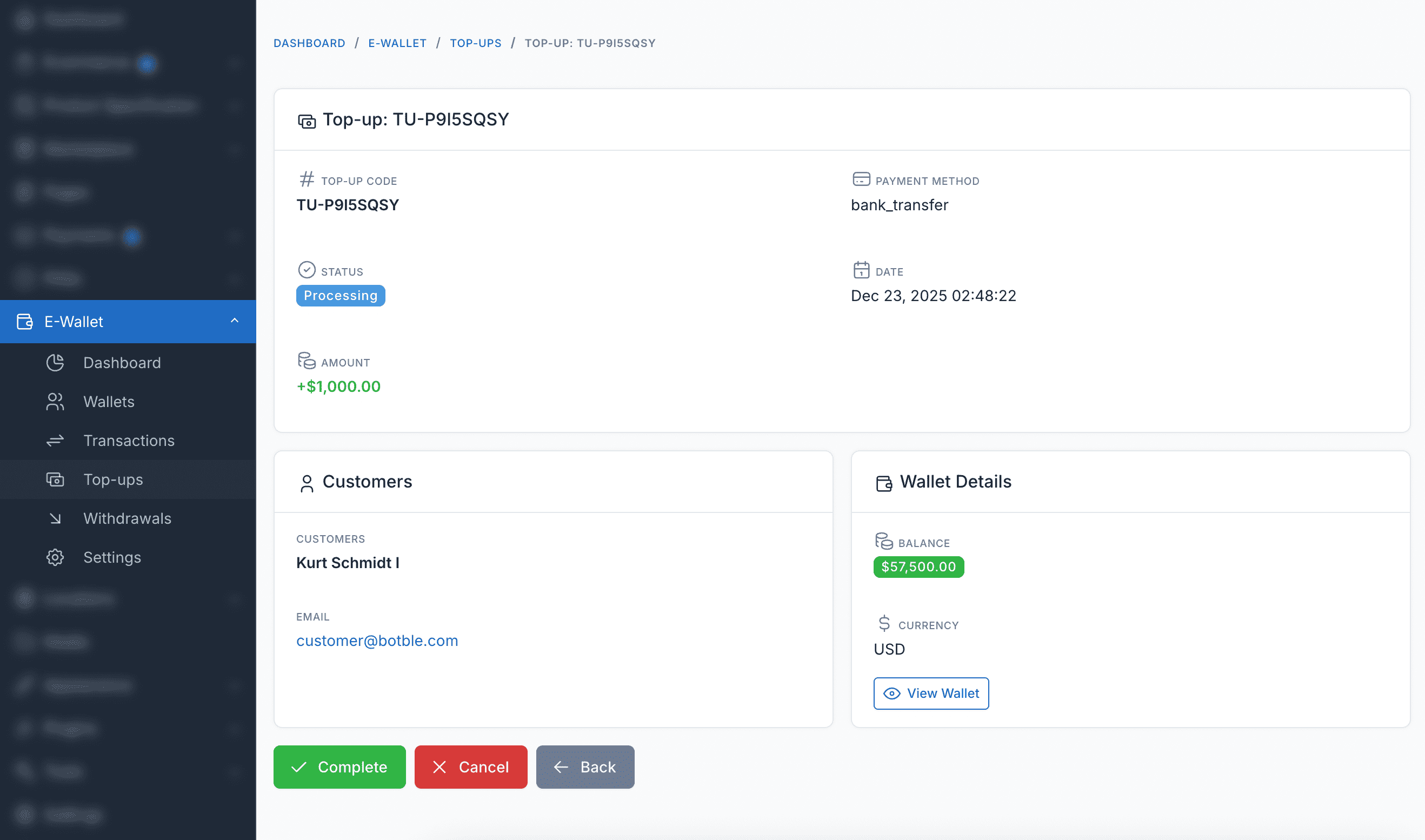
Yükleme Yönetimi
Bekleyen, tamamlanan ve başarısız işlemler dahil tüm müşteri yükleme taleplerini görüntüleyin ve yönetin.
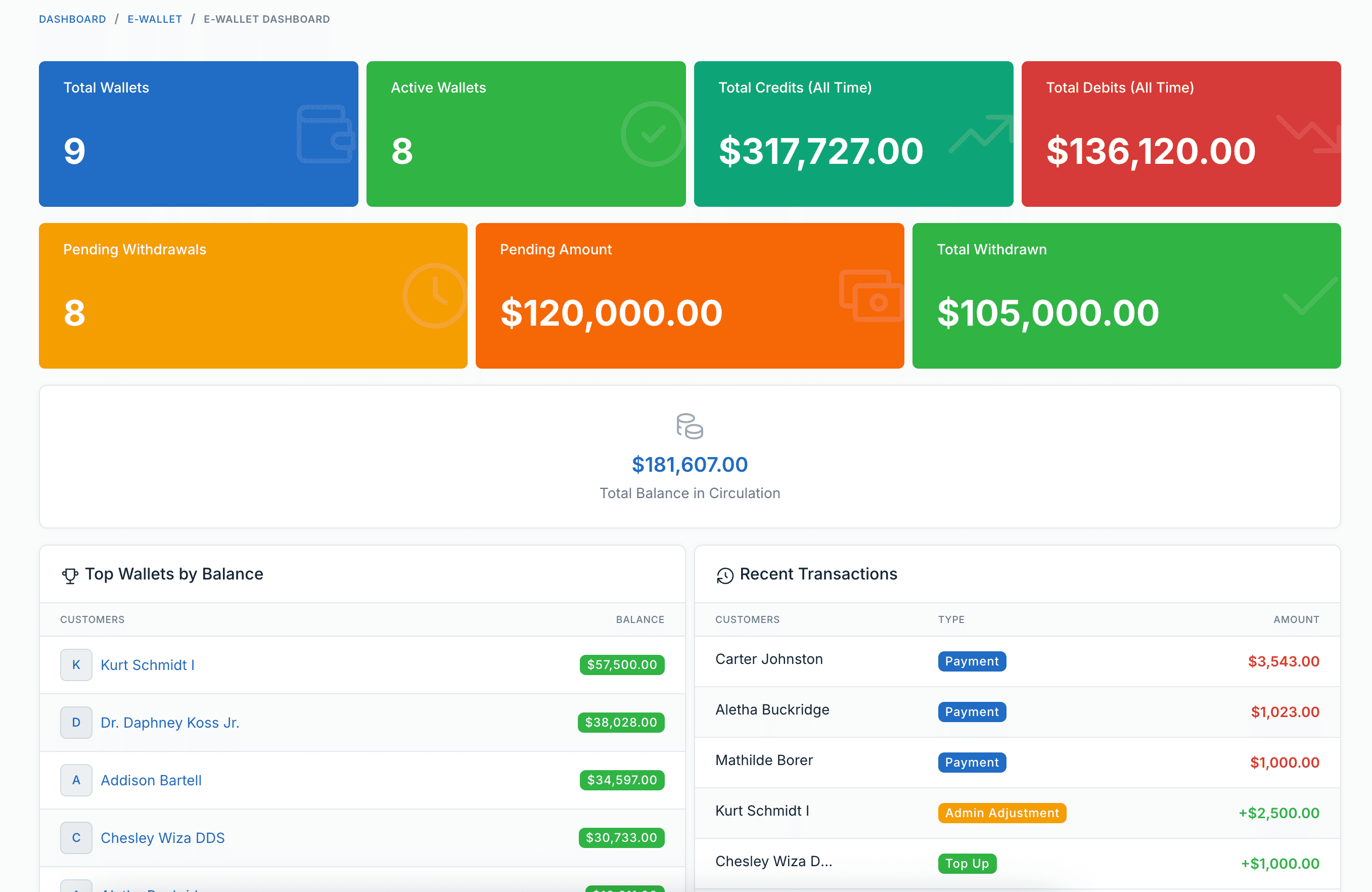
Raporlar Panosu
Cüzdan işlemleri, yüklemeler ve genel cüzdan sistemi performansı için kapsamlı raporlar ve analizler.
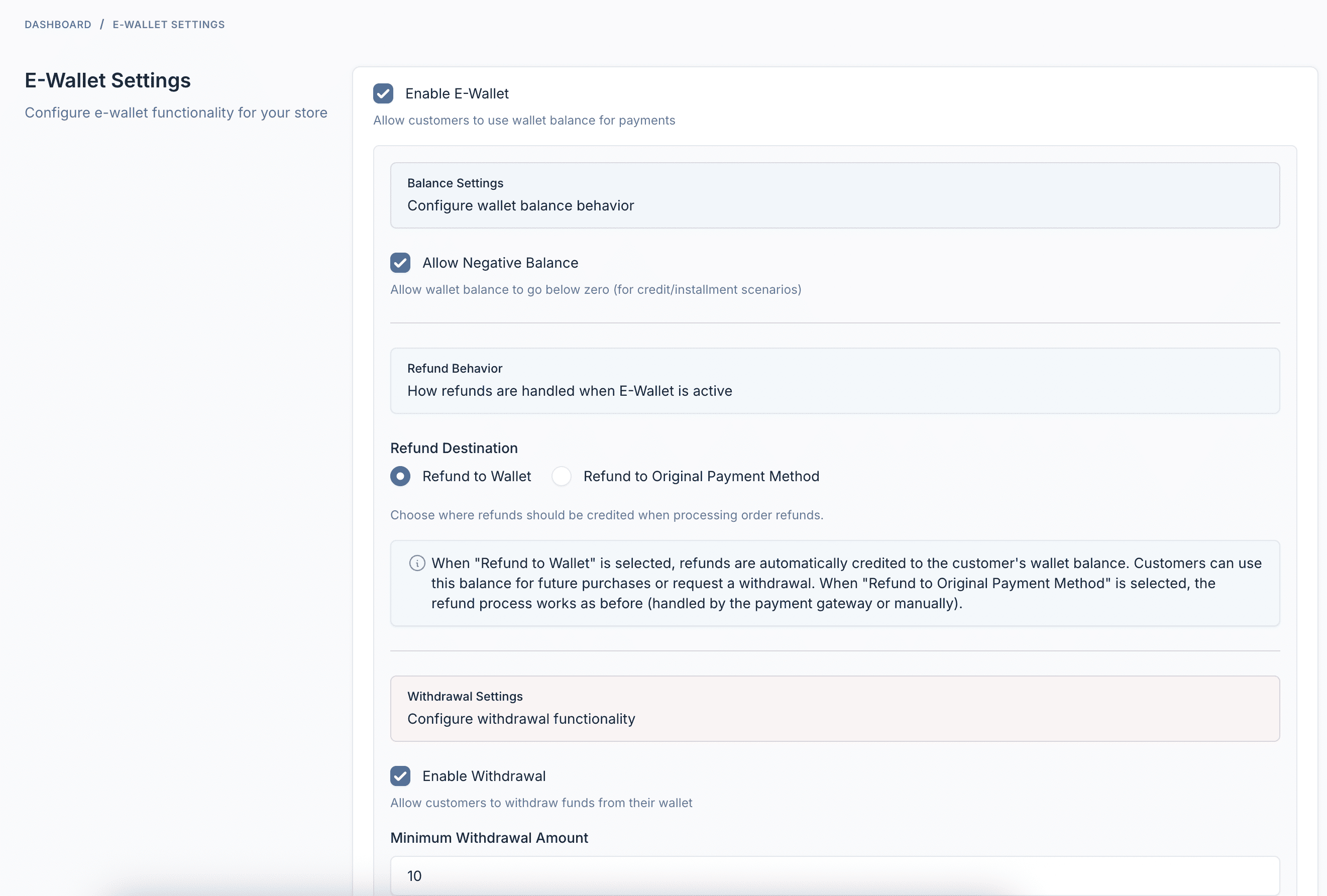
Ayarlar ve Yapılandırma
Minimum/maksimum yükleme limitleri, ödeme yöntemleri ve cüzdan davranış seçenekleri dahil tamamen yapılandırılabilir ayarlar.
Eklenti Özellikleri
Başarılı bir E-Cüzdan sistemi yürütmek için ihtiyacınız olan her şey
Cüzdan Yükleme
Müşteriler yapılandırılmış herhangi bir ödeme ağ geçidini kullanarak cüzdanlarına bakiye ekleyebilir - Stripe, PayPal, banka havalesi ve daha fazlası.
Cüzdan ile Öde
Anında ödemeler için ödemede cüzdan bakiyesini kullanın. Harici ödeme işlemi yok - sadece tek tıkla satın alma.
Para Çekmeler
Müşteriler banka hesaplarına, PayPal'a veya yapılandırılmış diğer ödeme yöntemlerine para çekme talebinde bulunabilir.
Otomatik İadeler
Siparişler iptal edildiğinde veya iade edildiğinde, iadeler otomatik olarak müşterinin cüzdanına aktarılır.
İşlem Geçmişi
Tüm cüzdan aktivitelerinin tam denetim kaydı - yüklemeler, ödemeler, iadeler, para çekmeler ve yönetici düzenlemeleri.
Müşteri Paneli
Müşterilerin bakiye görüntülemesi, yükleme yapması, para çekme talebi ve işlemleri takip etmesi için güzel bir panel.
Yönetim Paneli
Tüm cüzdanları görüntüleyin, bakiyeleri manuel olarak ayarlayın, para çekme işlemlerini yönetin ve yönetici panelinden ayarları yapılandırın.
Analiz Panosu
Cüzdan dolaşımını, en iyi müşterileri, işlem trendlerini ve sistem sağlığını gösteren kapsamlı raporlar.
Webhook Entegrasyonu
Yüklemeler oluşturulduğunda, tamamlandığında, başarısız olduğunda veya iptal edildiğinde harici sistemlere HTTP bildirimleri gönderin.
Çoklu Dil Desteği
İngilizce, Fransızca, Almanca, İspanyolca, Vietnamca, Japonca, Korece, Çince, Arapça ve daha fazlası dahil 30'dan fazla dilde mevcuttur.
Tam Uyumlu
Üzerinde mevcut tüm Botble e-ticaret temalarıyla çalışır CodeCanyon.