
Nạp tiền
Cửa hàng
Thanh toán
Rút tiền
Tự mình thử
Hướng dẫn Demo
Email: [email protected]
Mật khẩu: 12345678
Đi đến bảng điều khiển ví để xem số dư và lịch sử giao dịch của bạn.
Ví của tôiNạp tiền vào ví bằng thẻ tín dụng, PayPal hoặc chuyển khoản ngân hàng.
Nạp tiền ngayNhấp vào nút "Thêm vào giỏ hàng" trên sản phẩm hiển thị bên dưới và tiến hành thanh toán.
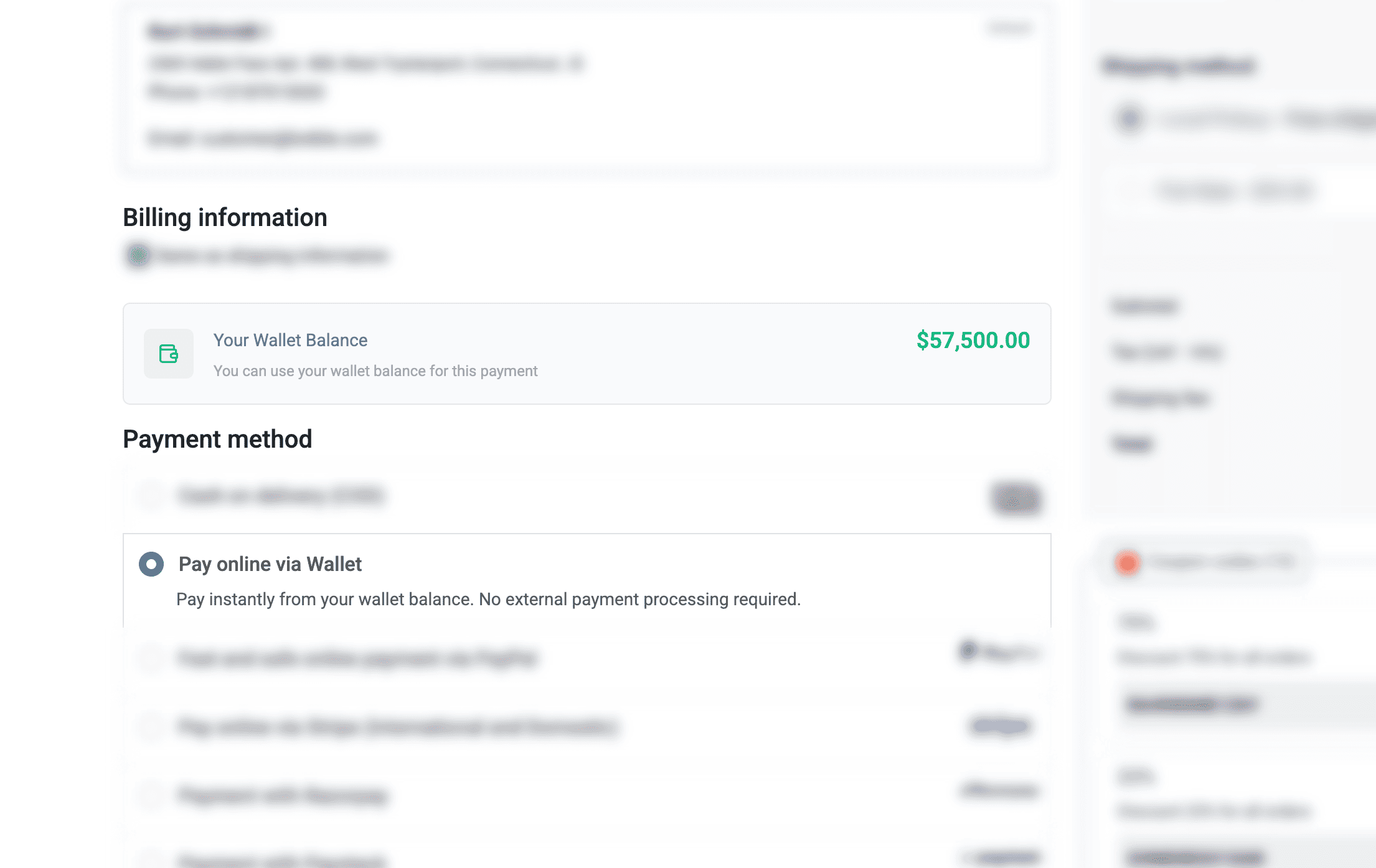
Khi thanh toán, chọn "Ví điện tử" làm phương thức thanh toán để thanh toán bằng số dư ví của bạn.
Đi đến thanh toán
Gift Cards
Gift cards let you give the gift of shopping! Purchase a gift card to send to friends or family, or redeem one you've received to add funds to your wallet.
How Gift Cards Work
Buy a gift card from your wallet dashboard. Choose any amount and optionally send it to someone via email.
Send the gift card code to friends or family via email, or keep it for yourself to use later.
Enter your gift card code to redeem it. The full balance will be added to your wallet instantly.
You can also apply a gift card directly at checkout to get a discount on your order.
Gift Card Features
Choose any gift card value within the store's limits.
Send gift cards directly to recipients with a personal message.
Redeemed funds are available immediately in your wallet.
Apply gift cards at checkout for instant order discounts.
Check your gift card balance anytime before redeeming.
Please login to purchase or redeem gift cards.
Ảnh chụp màn hình
Xem plugin Ví điện tử hoạt động
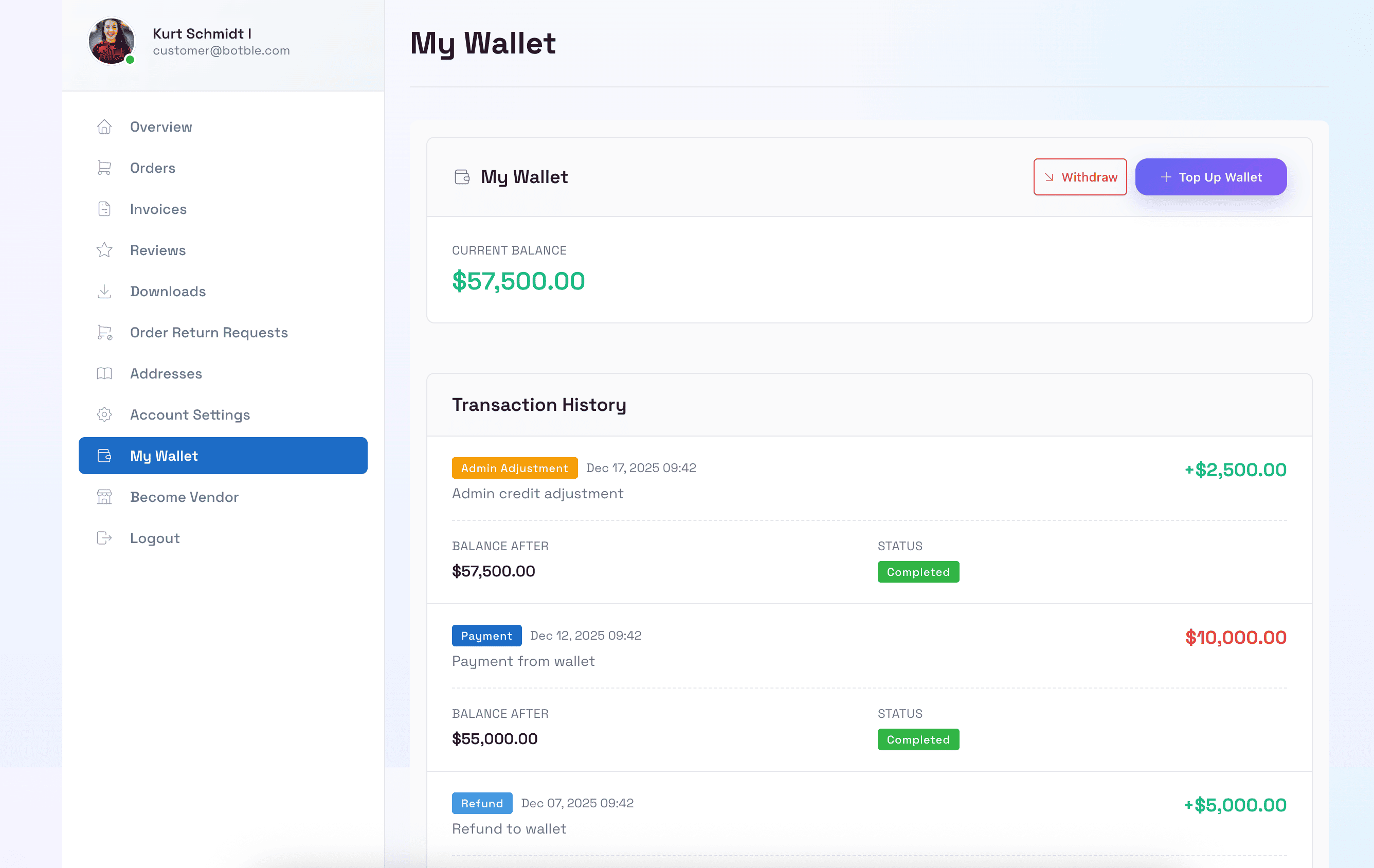
Bảng điều khiển ví khách hàng
Khách hàng có thể xem số dư ví, lịch sử giao dịch và quản lý tiền của họ trong bảng điều khiển tài khoản.
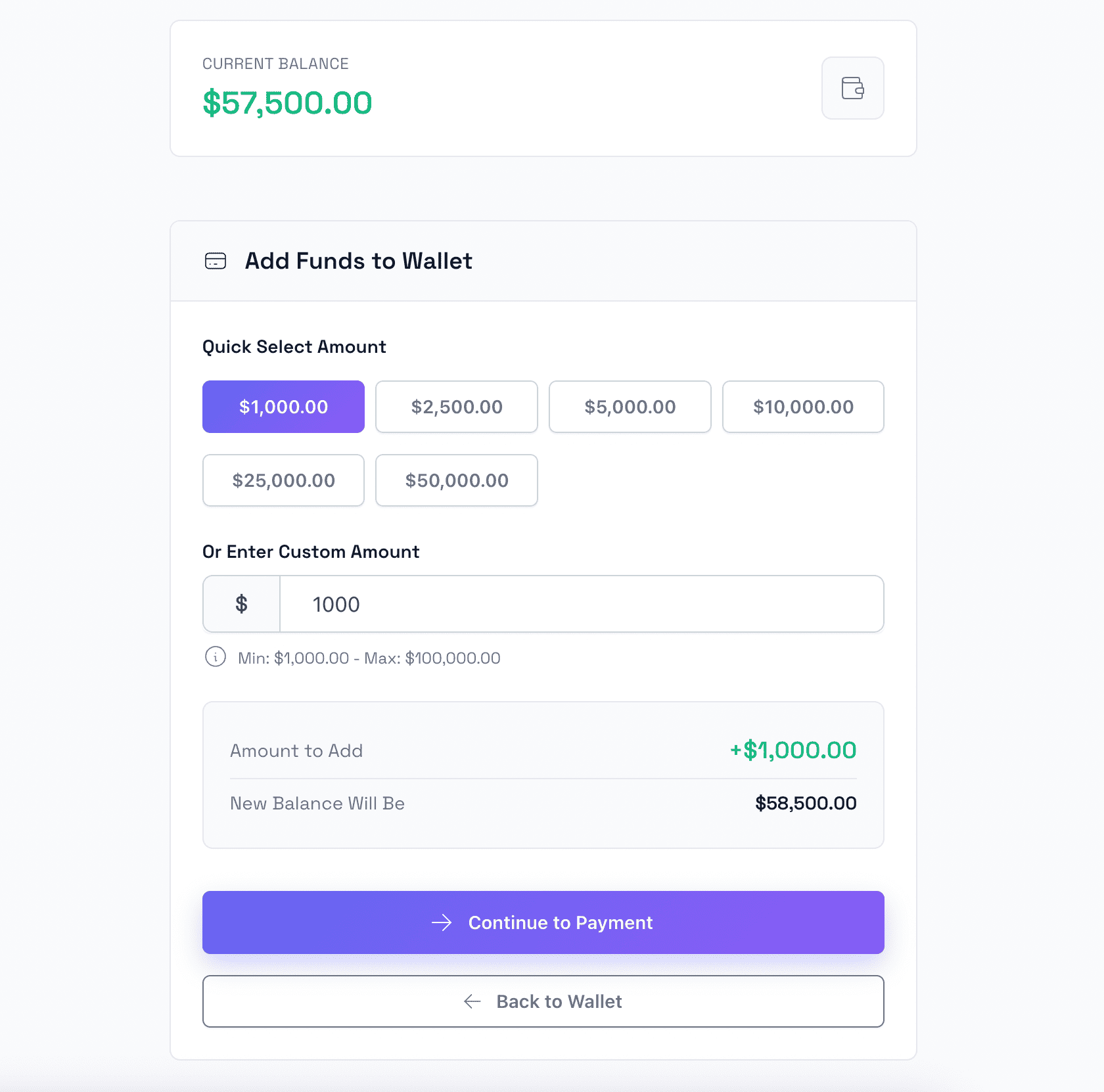
Nạp tiền vào ví
Khách hàng có thể dễ dàng nạp tiền vào ví bằng các phương thức thanh toán khác nhau bao gồm thẻ tín dụng và PayPal.
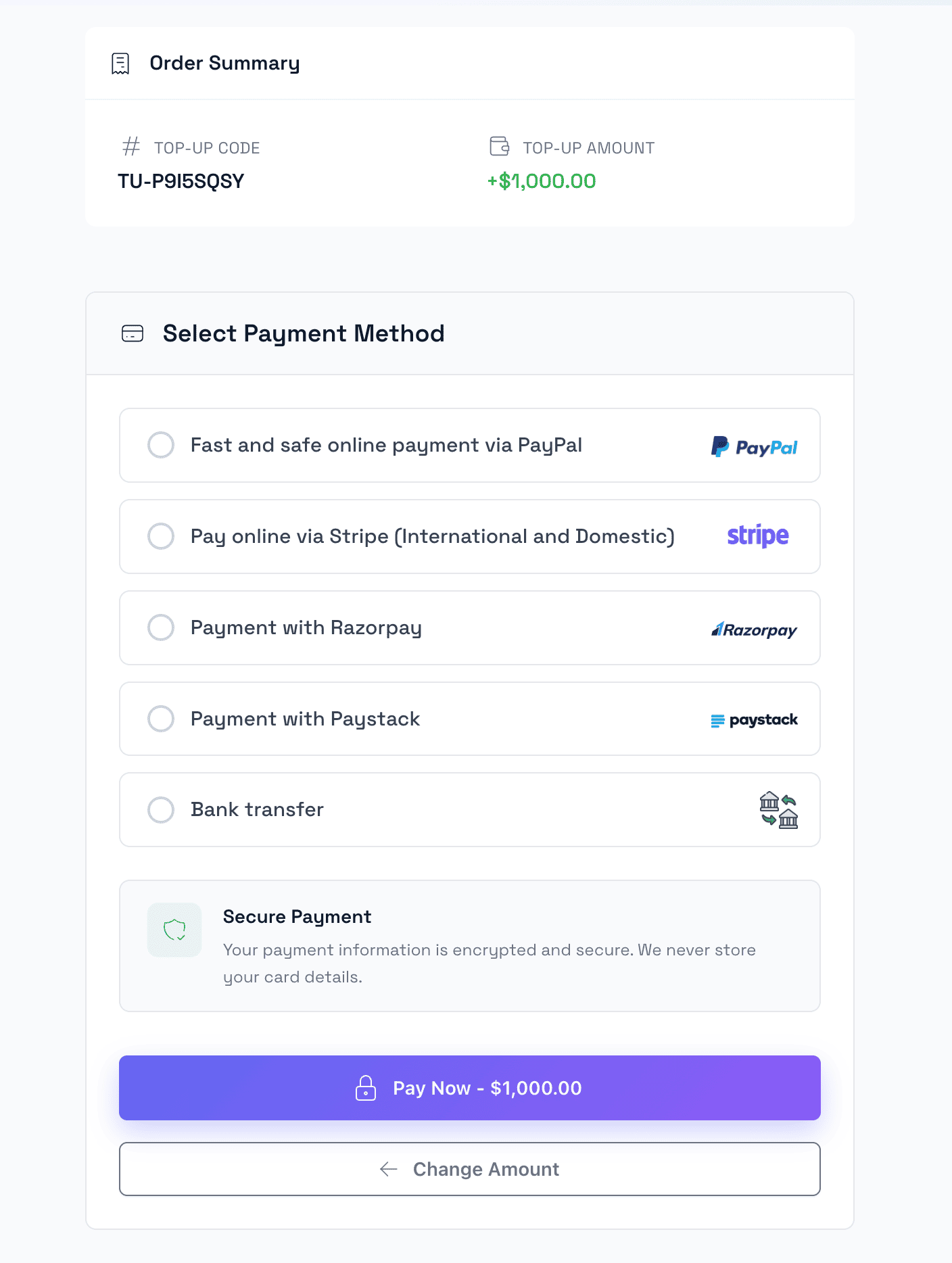
Thanh toán nạp tiền
Quy trình thanh toán an toàn cho nạp tiền ví với nhiều tùy chọn cổng thanh toán.
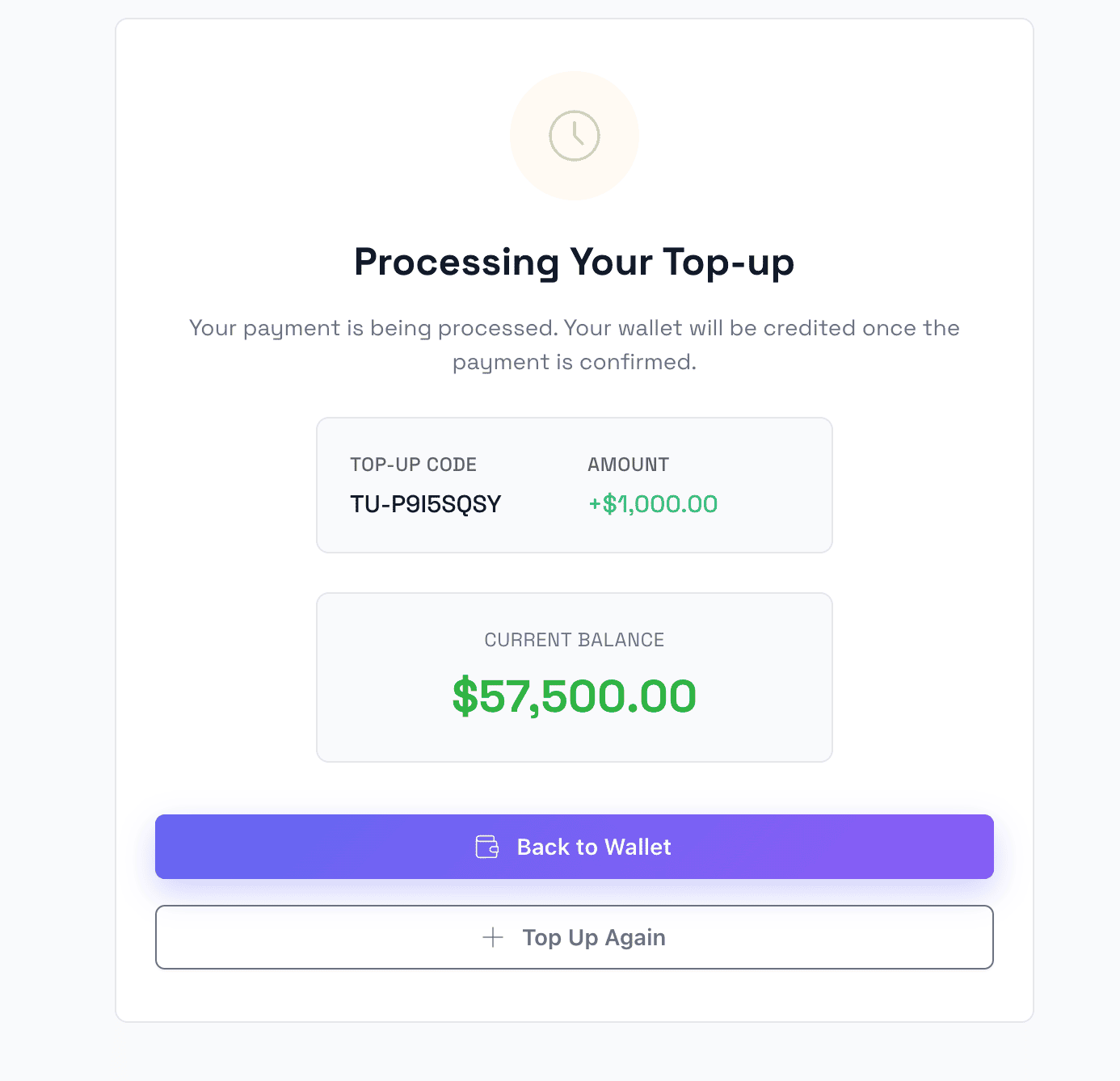
Nạp tiền thành công
Trang xác nhận hiển thị nạp tiền ví thành công với thông tin số dư cập nhật.
Thanh toán bằng Ví điện tử
Sử dụng số dư ví làm phương thức thanh toán khi thanh toán để giao dịch nhanh chóng và dễ dàng.
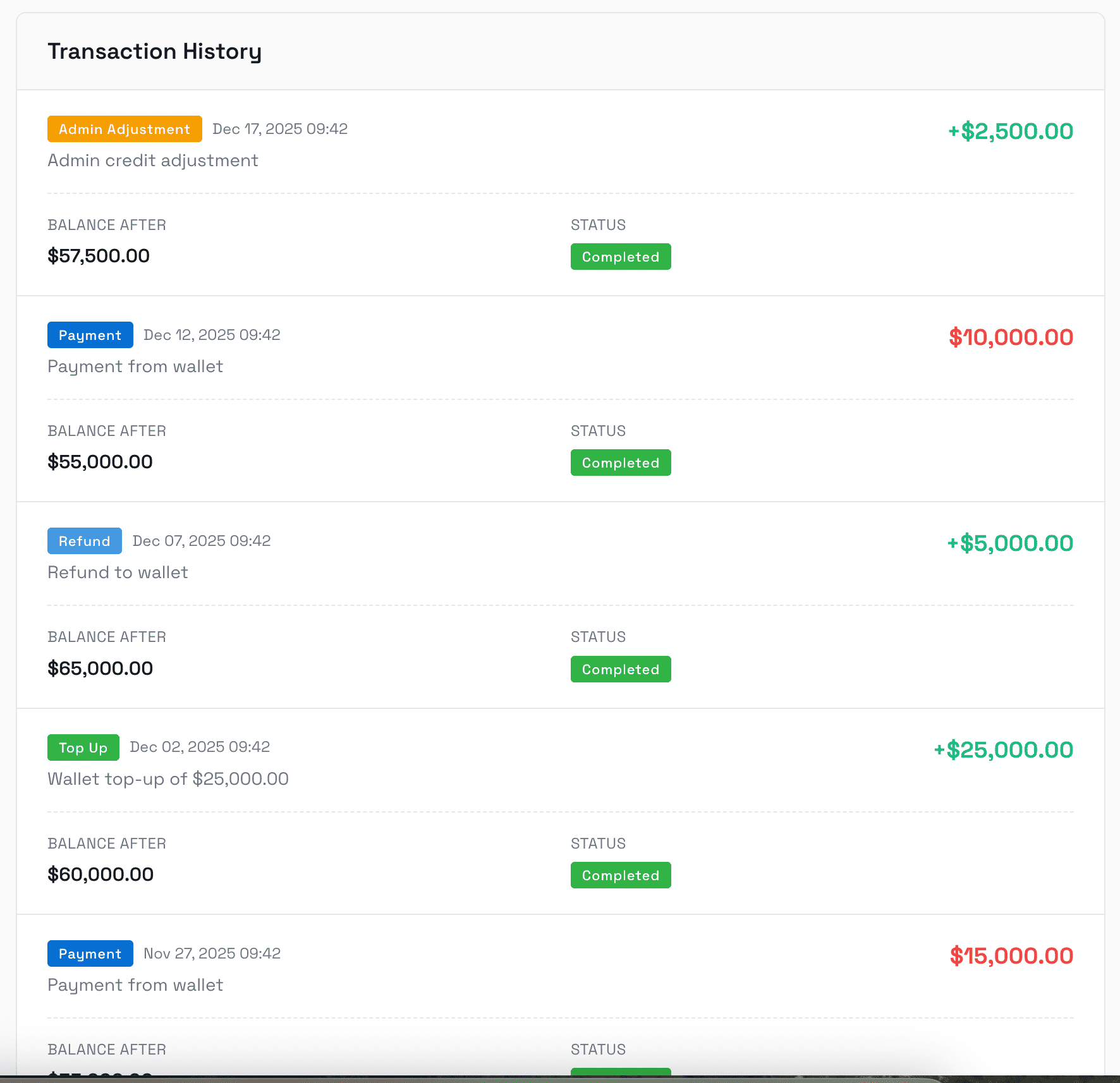
Lịch sử giao dịch
Nhật ký giao dịch đầy đủ hiển thị tất cả các khoản nạp tiền, thanh toán, hoàn tiền và điều chỉnh với thông tin chi tiết.
Bảng điều khiển Admin
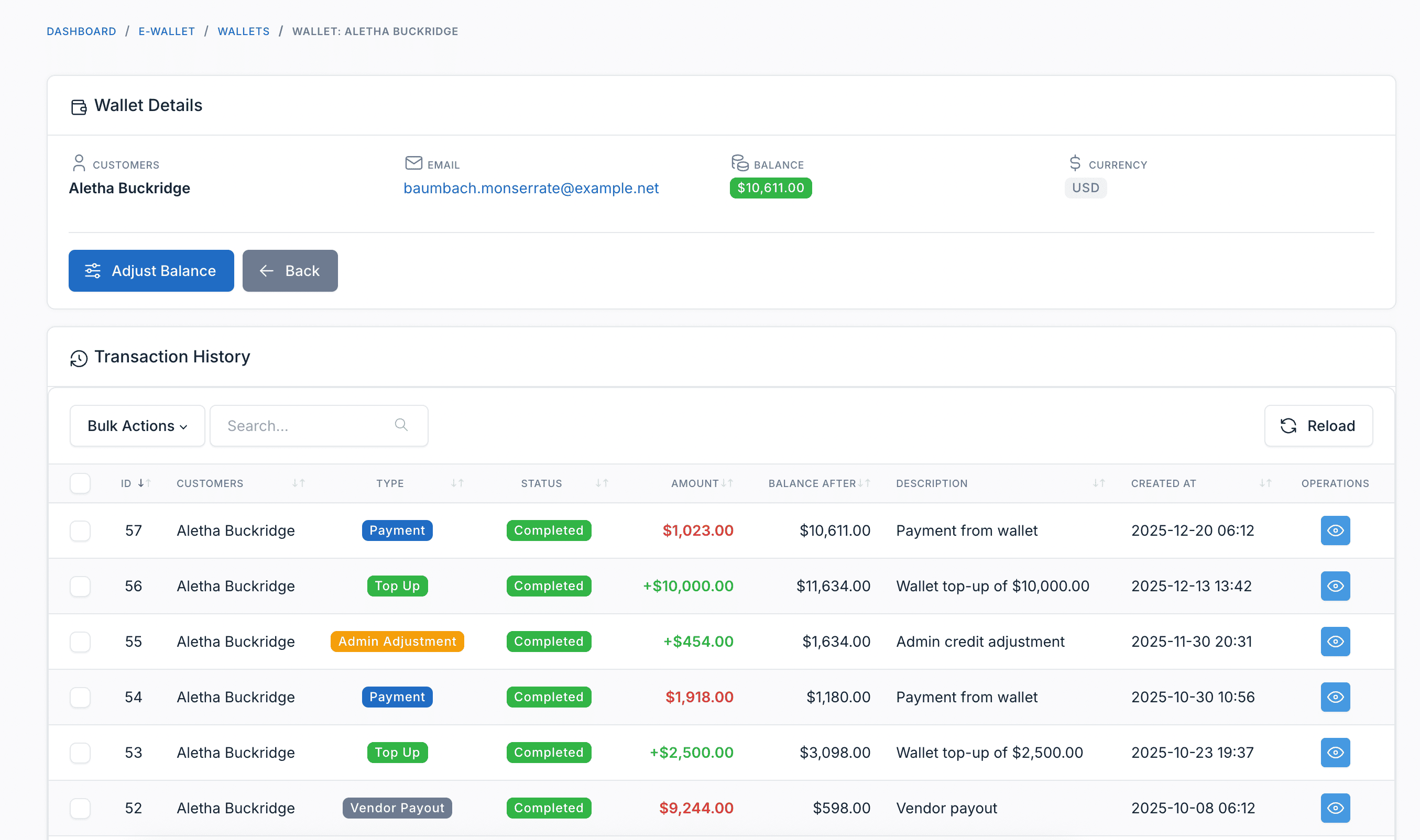
Quản lý ví khách hàng
Quản trị viên có thể xem tất cả ví khách hàng, số dư và điều chỉnh số dư ví thủ công khi cần.
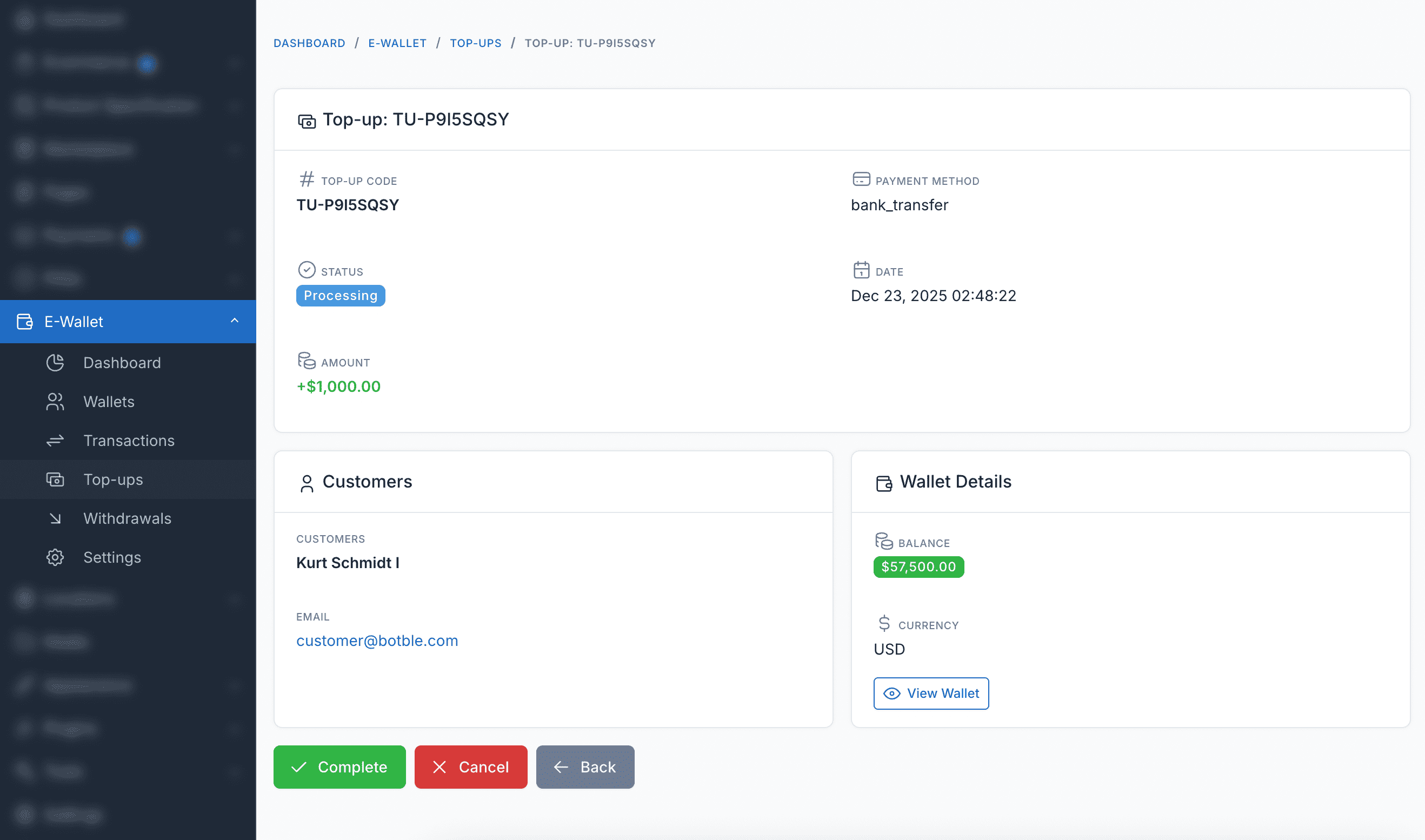
Quản lý nạp tiền
Xem và quản lý tất cả yêu cầu nạp tiền của khách hàng, bao gồm giao dịch đang chờ, hoàn thành và thất bại.
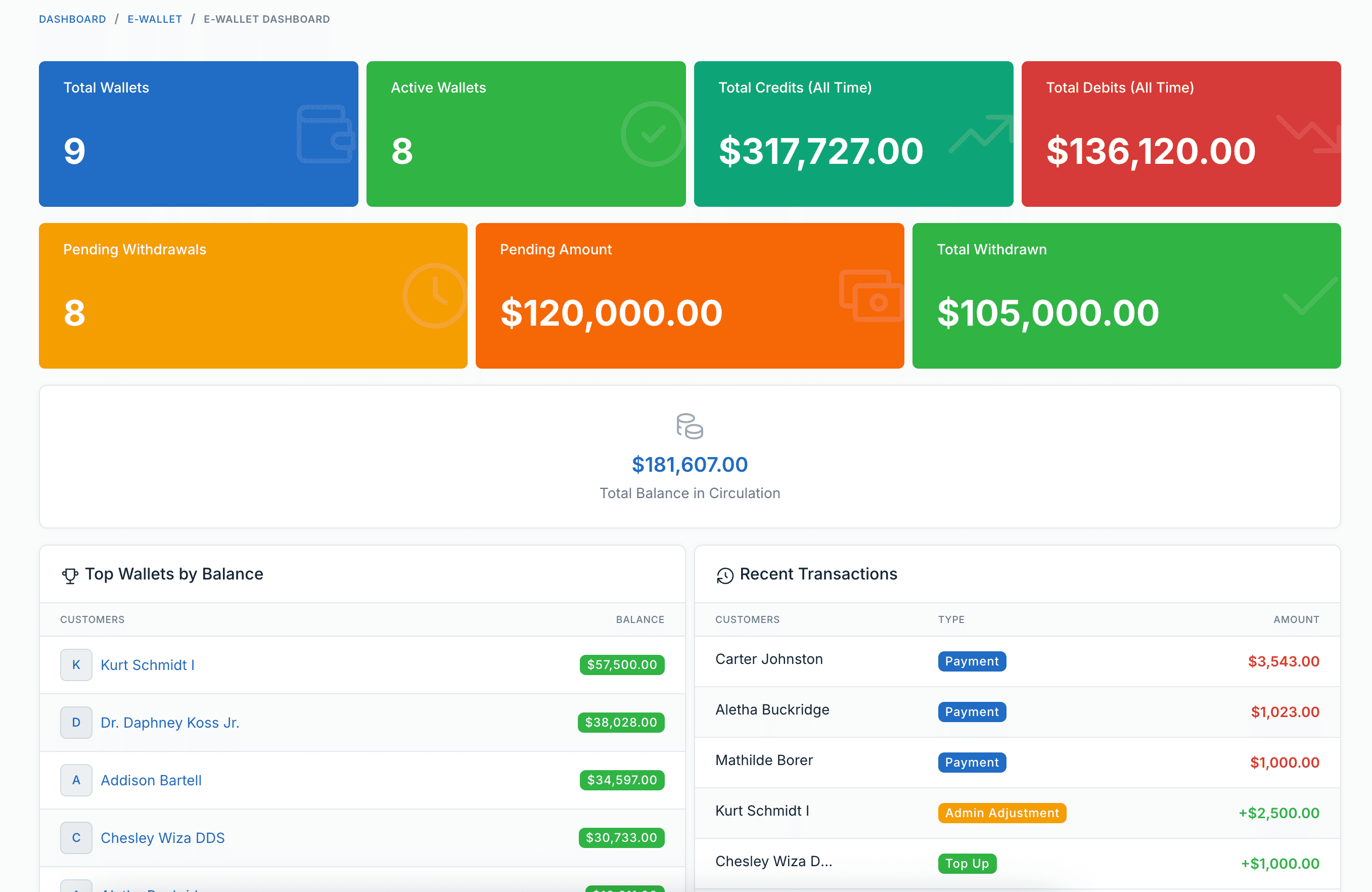
Bảng báo cáo
Báo cáo và phân tích toàn diện cho giao dịch ví, nạp tiền và hiệu suất hệ thống ví tổng thể.
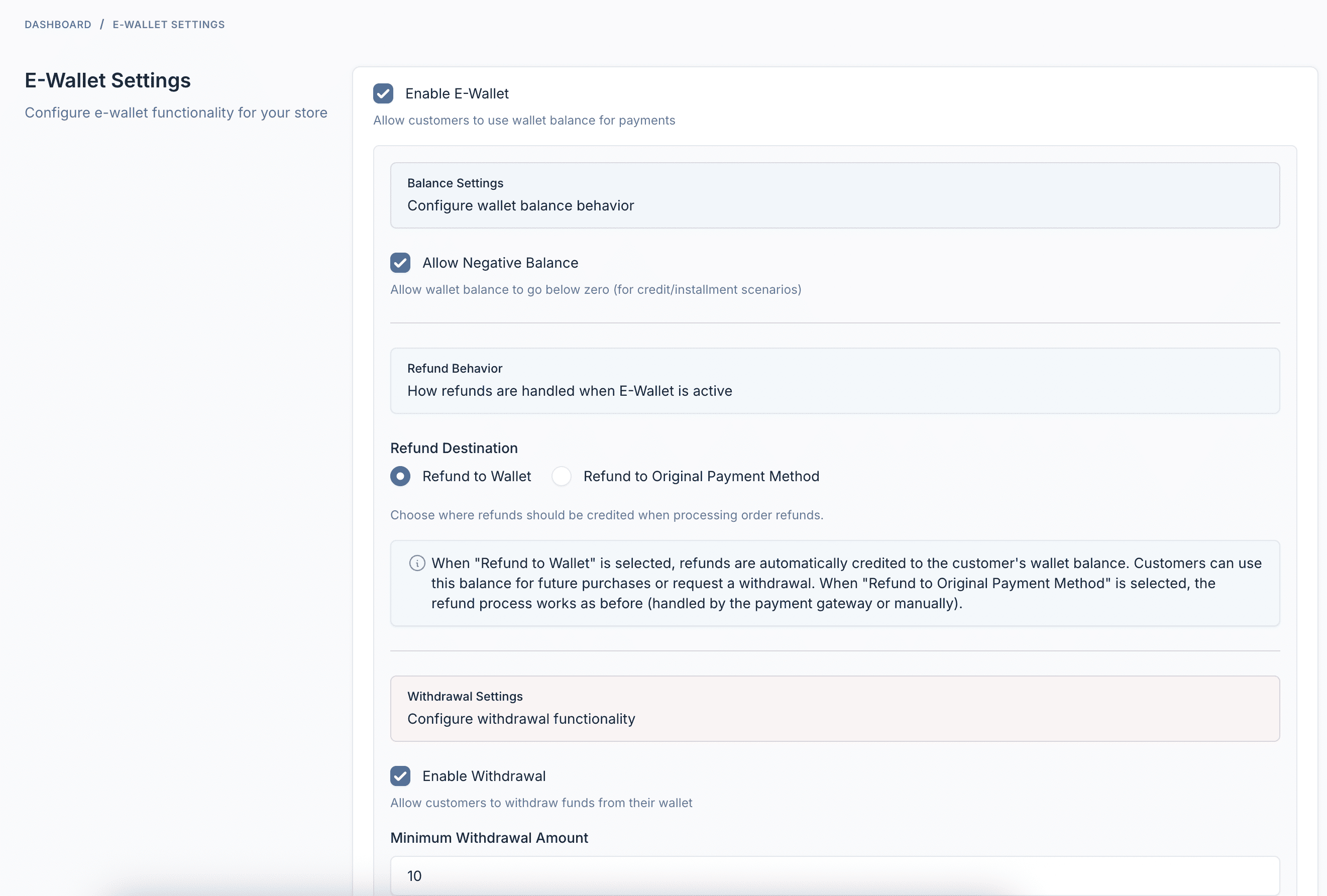
Cài đặt & Cấu hình
Cài đặt có thể cấu hình đầy đủ bao gồm giới hạn nạp tiền tối thiểu/tối đa, phương thức thanh toán và tùy chọn hành vi ví.
Tính năng Plugin
Mọi thứ bạn cần để vận hành hệ thống Ví điện tử thành công
Nạp tiền ví
Khách hàng có thể nạp tiền vào ví bằng bất kỳ cổng thanh toán nào được cấu hình - Stripe, PayPal, chuyển khoản ngân hàng và nhiều hơn nữa.
Thanh toán bằng Ví
Sử dụng số dư ví khi thanh toán để thanh toán tức thì. Không cần xử lý thanh toán bên ngoài - chỉ cần mua bằng một cú nhấp.
Rút tiền
Khách hàng có thể yêu cầu rút tiền về tài khoản ngân hàng, PayPal hoặc các phương thức thanh toán khác được cấu hình.
Hoàn tiền tự động
Khi đơn hàng bị hủy hoặc trả lại, tiền hoàn được tự động ghi có vào ví của khách hàng.
Lịch sử giao dịch
Theo dõi đầy đủ tất cả hoạt động ví - nạp tiền, thanh toán, hoàn tiền, rút tiền và điều chỉnh của admin.
Bảng điều khiển khách hàng
Bảng điều khiển đẹp mắt để khách hàng xem số dư, nạp tiền, yêu cầu rút tiền và theo dõi giao dịch.
Quản lý Admin
Xem tất cả ví, điều chỉnh số dư thủ công, quản lý rút tiền và cấu hình cài đặt từ bảng quản trị.
Bảng phân tích
Báo cáo toàn diện hiển thị lưu thông ví, khách hàng hàng đầu, xu hướng giao dịch và tình trạng hệ thống.
Tích hợp Webhook
Gửi thông báo HTTP đến hệ thống bên ngoài khi nạp tiền được tạo, hoàn thành, thất bại hoặc hủy.
Hỗ trợ đa ngôn ngữ
Có sẵn hơn 30 ngôn ngữ bao gồm Tiếng Anh, Tiếng Pháp, Tiếng Đức, Tiếng Tây Ban Nha, Tiếng Việt, Tiếng Nhật, Tiếng Hàn, Tiếng Trung, Tiếng Ả Rập và nhiều hơn nữa.
Hoàn toàn tương thích
Hoạt động với tất cả giao diện thương mại điện tử Botble có sẵn trên CodeCanyon.